
Product details
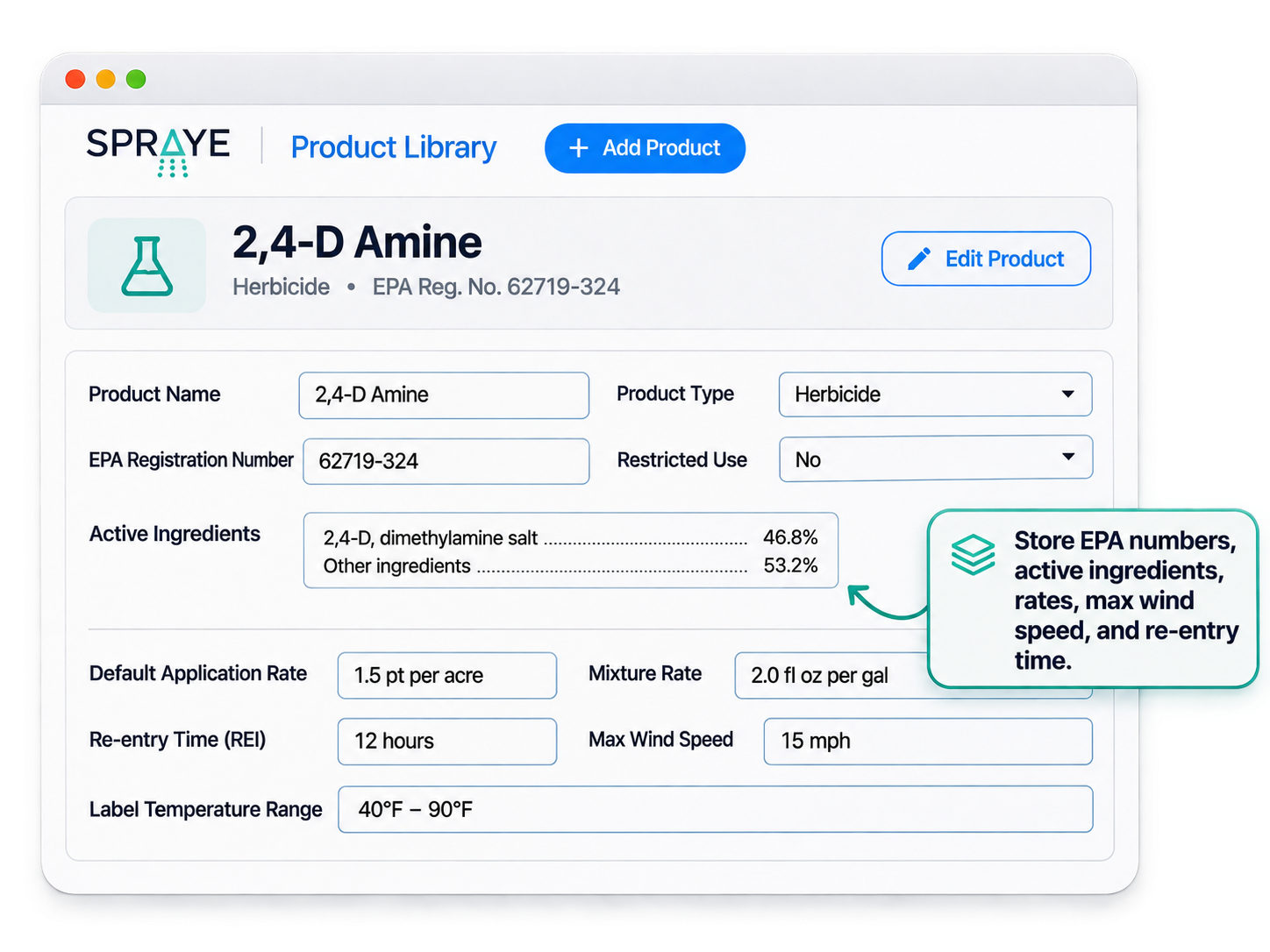
Product name and type, EPA registration number, active ingredients and whether it’s a restricted-use product.
SPRAYE helps lawn care companies record chemical applications, track products and rates, capture treatment conditions and keep every record connected to the customer, property, technician and service.
Keep chemical usage, treatment records, inventory, field activity and compliance information in one system instead of paper, spreadsheets or end-of-day data entry.
Every time a lawn care technician applies a fertilizer, herbicide, insecticide or fungicide, the company needs a record of what happened. Chemical application management is the work of capturing those records accurately and keeping them accessible and usable:

Application records are how you show what happened at a property: which product, how much, when and in what conditions. Regulators can ask for them, customers ask about them and your team relies on them when something goes wrong.
Records only do that job when they’re complete and consistent across every technician, every day of the season.
Any lawn care company that applies regulated products for customers needs reliable application records. The more technicians and properties you have, the harder it is to keep them consistent by hand.
Recordkeeping requirements vary by state and by the type of product applied, so check what your state lead agency requires. Most complete application records include the following. See our chemical recordkeeping checklist for more detail.
Product name and type, EPA registration number, active ingredients and whether it’s a restricted-use product.
The application rate, mixture rate and total amount of product or mixture used at the property.
Who the work was for, the property address and the area or square footage treated.
The technician who made the application and their applicator license or certification number.
The date of the application and when the service started and was completed.
Wind speed and direction, temperature and, where needed, humidity at the time of application.
Details some states ask for, such as proximity to open water or sensitive areas, soil moisture and precipitation at the time of application.
The weed or pest being treated and the re-entry interval customers need to know about.
Technician notes, observed property conditions and anything unusual about the application.
Most record-keeping problems come from the same place: the record is created separately from the work.
Technicians fill out logs after the fact, and the office re-types them, introducing gaps and errors at both steps.
Each technician records products, rates and weather differently, or skips fields when they’re in a hurry.
Working out amounts used by hand for every property leads to numbers that don’t add up.
Chemical data lives apart from customer information, so it’s hard to prove what happened at a property.
Product usage in the field never makes it back to inventory, so stock counts drift.
Finding last year’s applications for one property, or every application of one product, takes hours.
In SPRAYE, the application record is part of completing the service. Technicians don’t fill out a separate log, and the office doesn’t re-type anything.
Inventory tracking, material resource planning and purchase orders are available on Premium and Elite plans. See pricing for details.
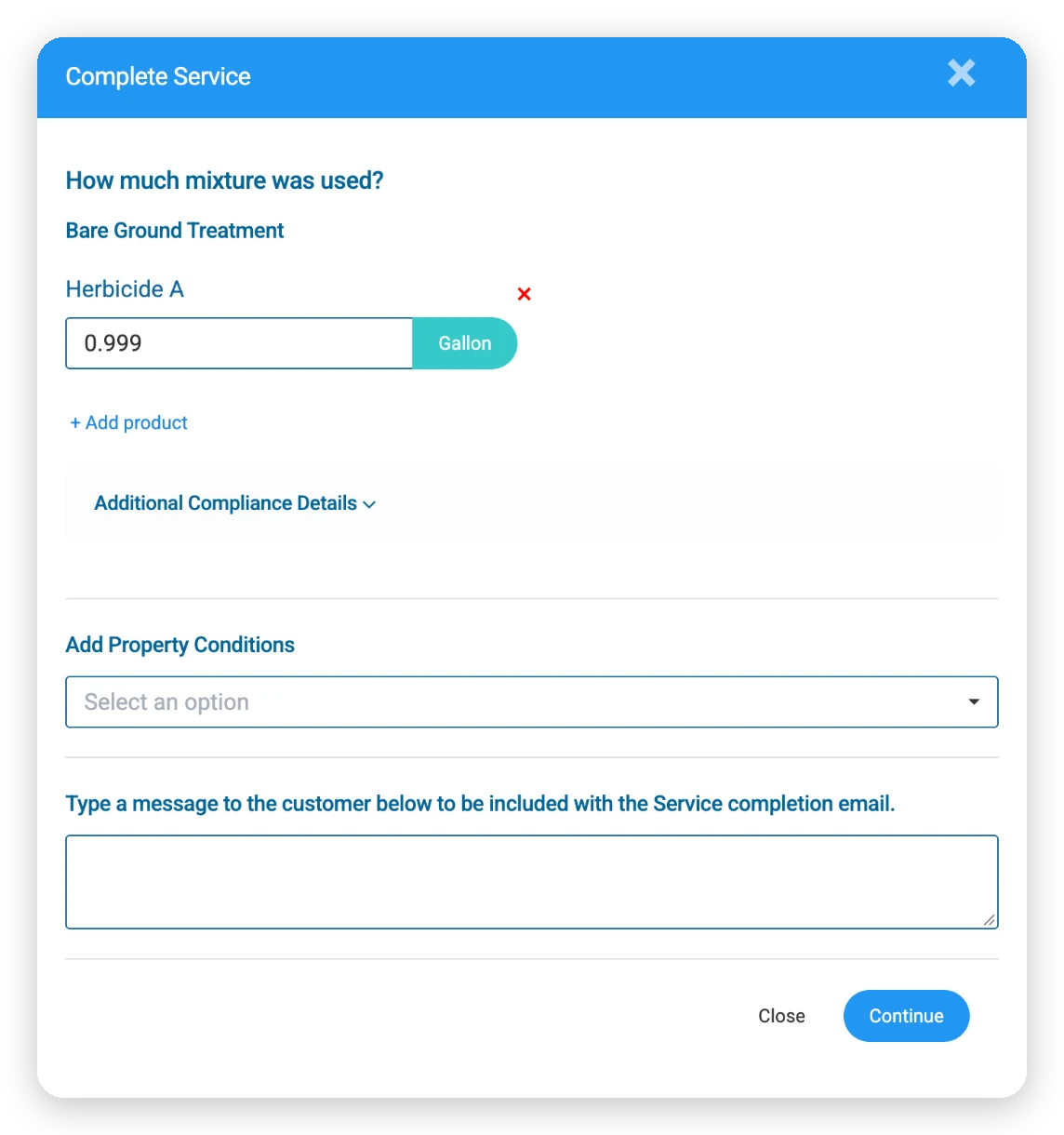
Each service carries the products and rates set up for it. SPRAYE can calculate how much mixture to use from the property’s square footage, and works out the product used from there, so technicians aren’t doing math in the truck.
Technicians can change products and amounts in a few seconds from their screen, then complete the service. The record is saved with the visit.
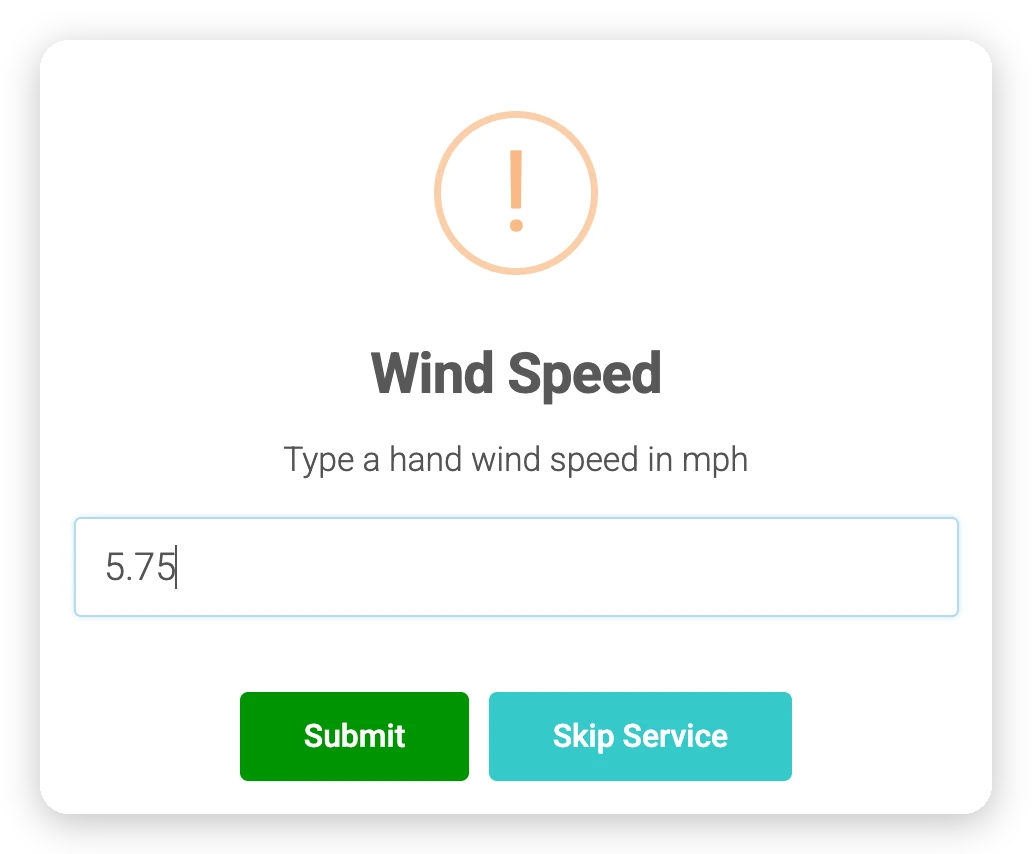
When a technician starts a service, SPRAYE pulls current weather for the property’s location and prefills the wind speed for the technician to confirm or correct with a hand reading. Wind direction, temperature and humidity are saved with the record automatically.
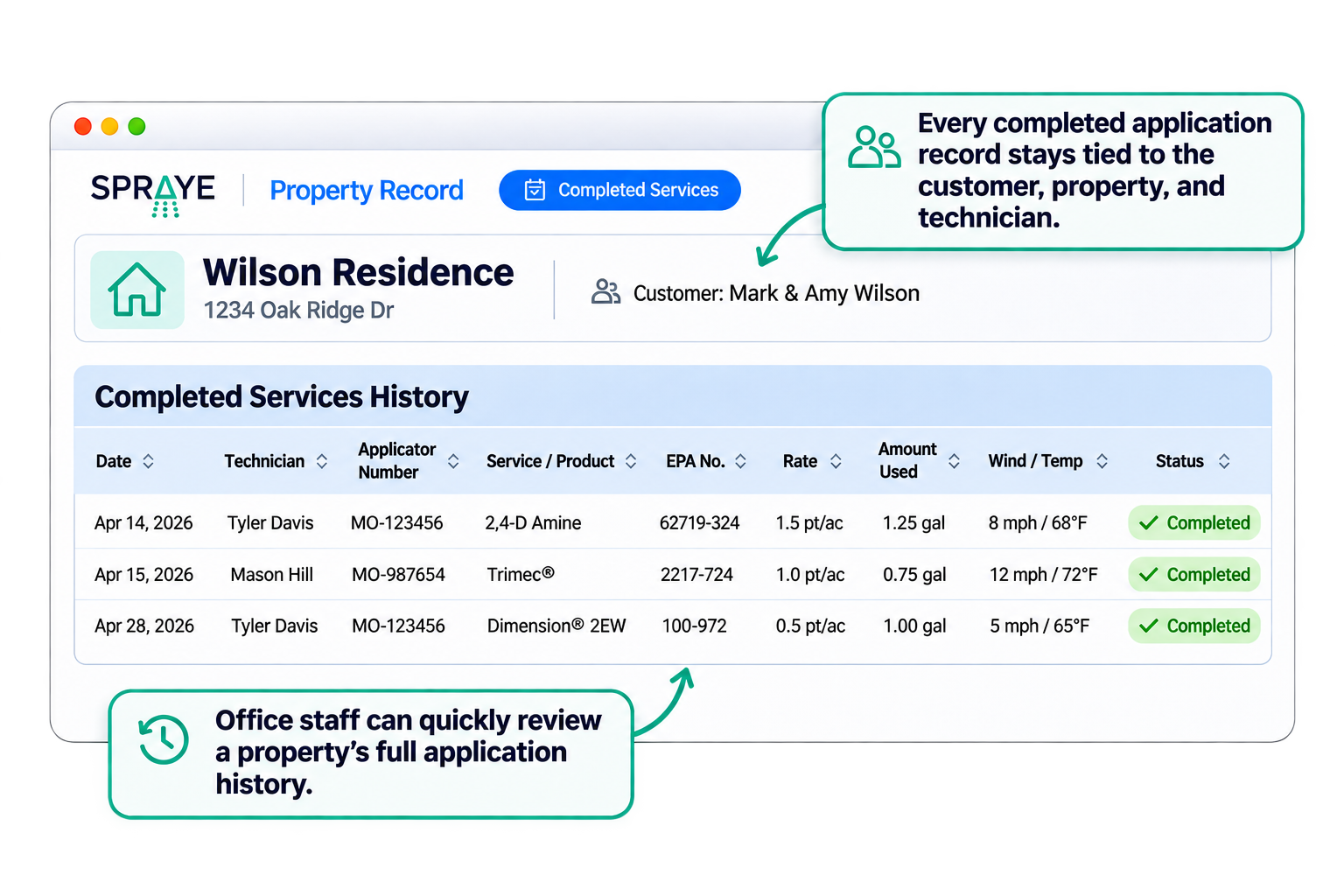
Every application record includes the customer, property, program, service, technician and applicator number, date and time, weather and the details of each product applied.
Office staff and technicians can see a property’s full service history, and if a record is edited later, the change is logged so you can see what changed and who changed it.
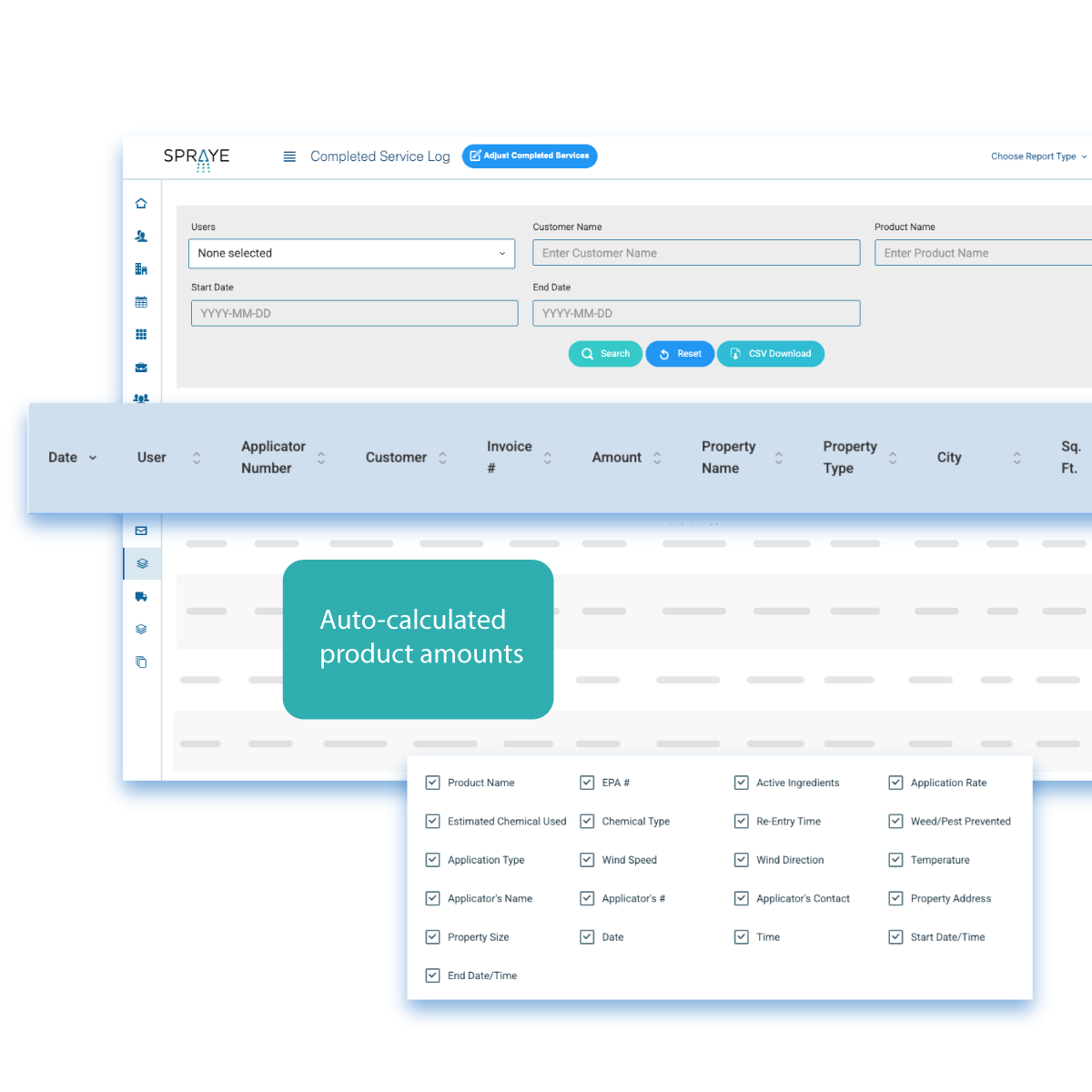
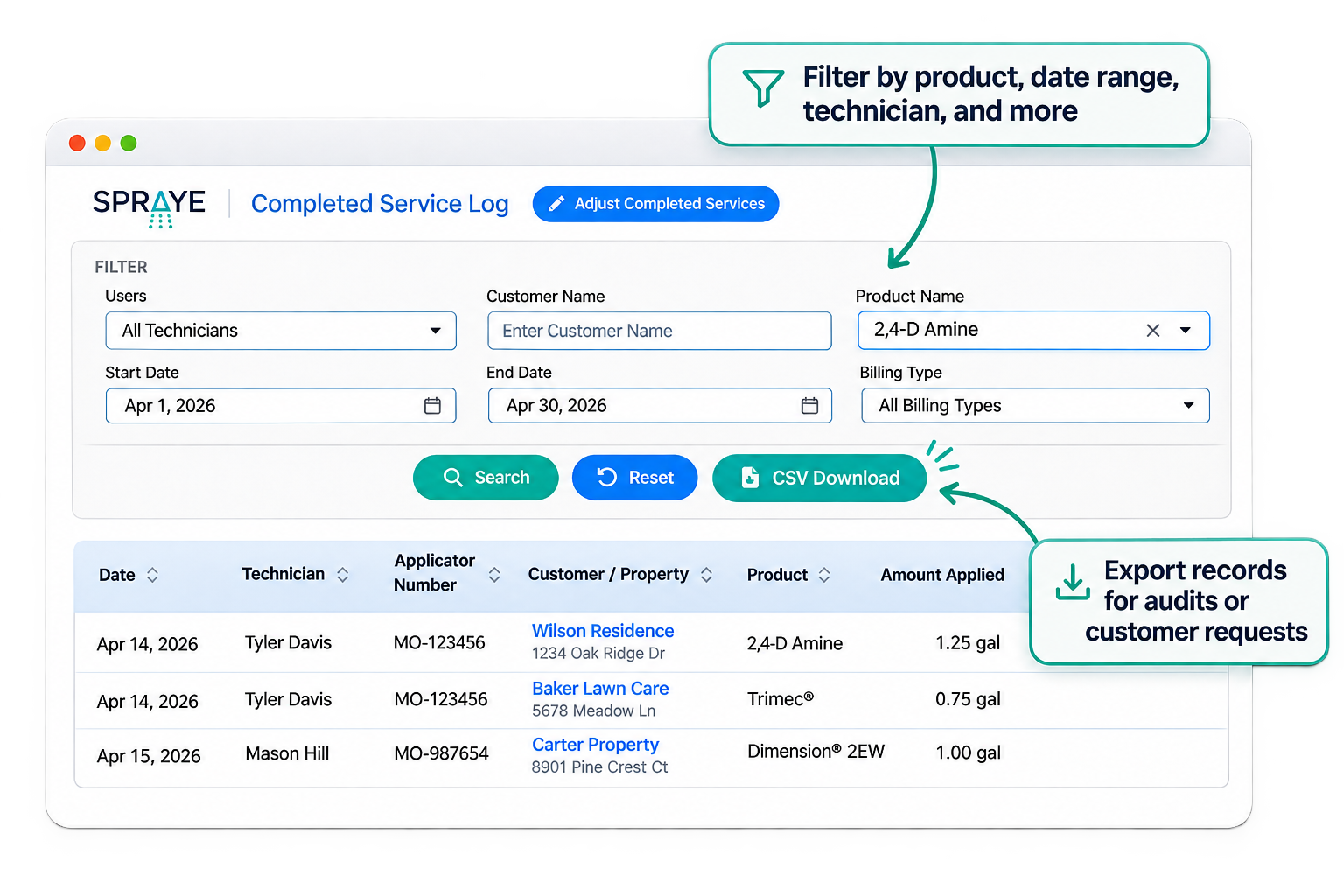
All completed applications feed a log you can filter by date, technician, product and more, then export when an inspector, customer or your own team needs it.
You can also choose to include application details, such as products applied, EPA numbers, rates, amounts and re-entry times, in completion emails and invoices sent to customers.
Store EPA registration numbers, active ingredients, product and application types, restricted-use status, re-entry times, rates, max wind speed and label temperature information for every product.
Technicians see the products they need for the day’s route before they leave the shop.
Technician dashboardIf current wind is above a product’s max wind speed, the technician sees a warning before starting the application.
Product used on each completed service is deducted from the technician’s truck inventory automatically (Premium and Elite).
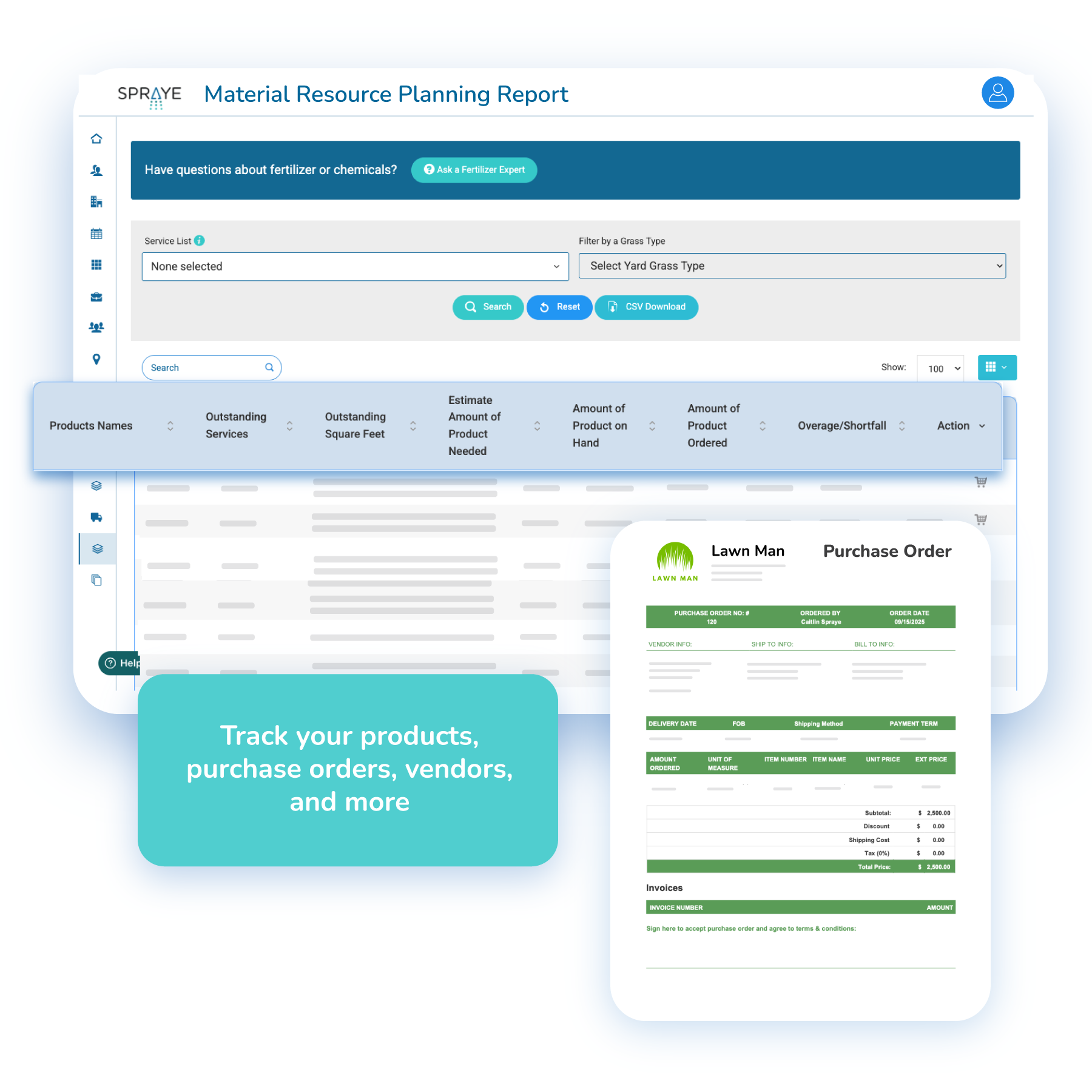
Inventory & fleet managementCompare the product needed for upcoming services with what you have on hand and on order, and send purchase orders to vendors (with Inventory Option).
Each technician’s applicator license number is saved on every application record they complete.
From loading the truck to answering an inspector, here’s where each part of the record comes from.
| Stage | What needs to happen | How SPRAYE supports it | ||
|---|---|---|---|---|
| Service preparation | Identify the customer, property and scheduled treatment | Technician route with customer, property and service details | ||
| Product loading | Make sure the truck has what the route needs | Truck-loading sheet for the day’s route | ||
| Product selection | Record what is being applied | Products and rates set on each service, editable in the field | ||
| Application amount | Record the rate and amount used | Amounts can be calculated from the property’s square footage | ||
| Treatment conditions | Record weather and site conditions | Weather pulled for the property’s location, with wind speed confirmed by the technician | ||
| Field completion | Record that the service was performed | Completion from the technician dashboard, with start and finish times | ||
| Application record | Keep treatment details attached to the service | Record saved with the visit, customer, property and applicator | ||
| Inventory | Keep stock aligned with completed work | Product deducted from truck inventory at completion (Premium and Elite) | ||
| Historical record | Retrieve previous applications | Service history by property and customer | ||
| Review and reporting | Review records when needed | Filterable, exportable completed service log with edits logged |
The same records that answer an inspector also help you run the business.
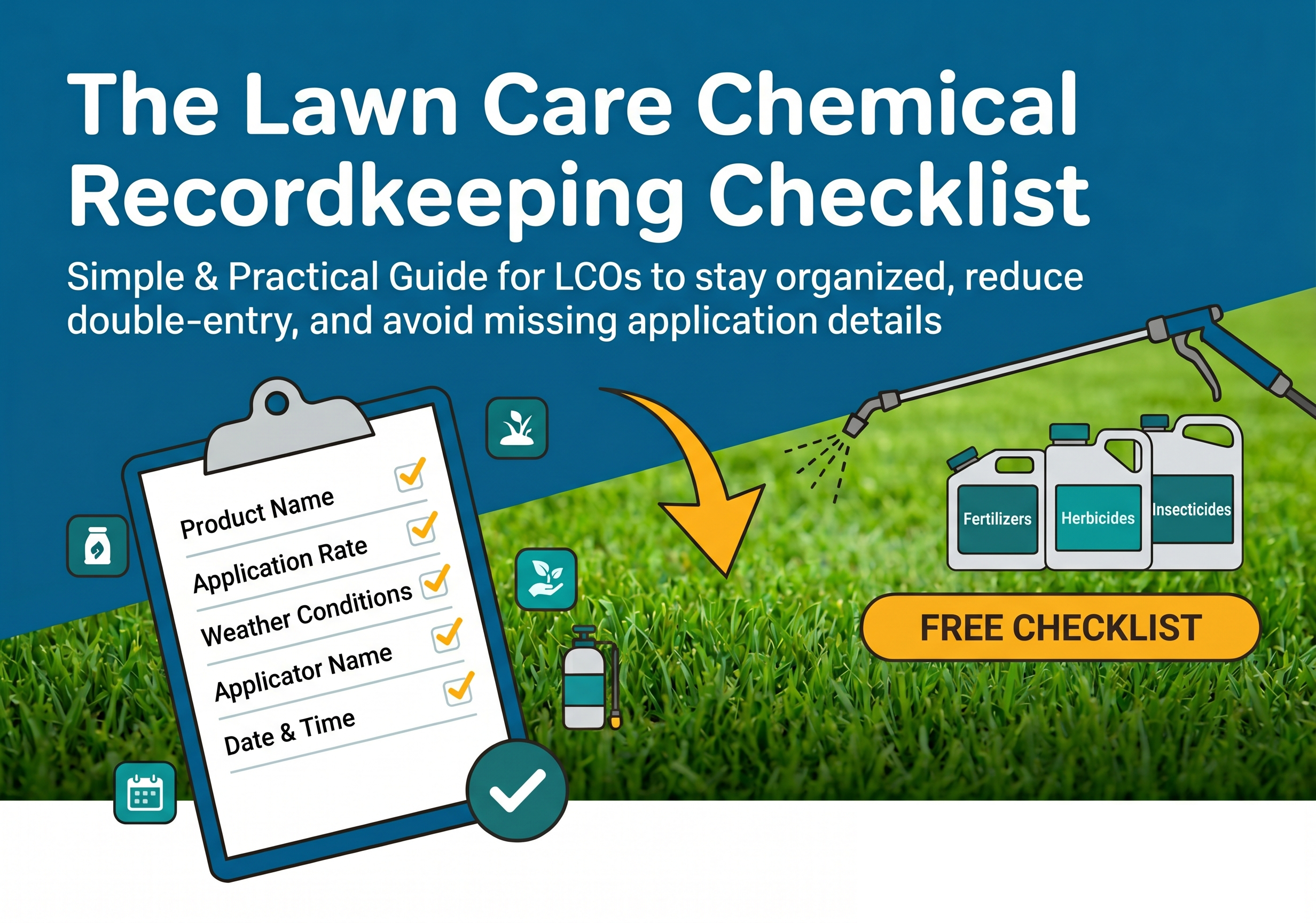
Accurate, consistent records are what make an inspection or a customer question easy to handle. SPRAYE captures products, rates, amounts, weather and applicator details every time, so your records are complete and easy to retrieve.
Record-keeping rules differ from state to state and change over time. SPRAYE gives you the records; you’re still responsible for confirming what your state requires and for following product labels. Download our recordkeeping checklist
Application history is useful well beyond compliance:
Learn why SPRAYE is trusted by hundreds of lawn care operators across the country.
I think it’s one of the easiest ones out there to use. Set up of your programs takes about 5 minutes each. The chem tracking is amazing. I love that the customer gets an email when I schedule them, one the day before and the bill afterwards. They can pay right from the invoice.
I’m still pretty new to the SPRAYE software. Setting it up and getting products, services and programs built does take some time but they help you get it all setup, all you have to do is get them your customer info. Makes my life way easier for sure!
Once it's all done everything goes pretty smooth, especially when you're in the field working. It does pretty much everything else for you automatically from how you have your programs built. Hopefully that helps you.
Recurring treatment work touches every part of the business. These pages show how the pieces connect.
Build, sell, bill and renew multi-round treatment programs.
Read moreSchedule rounds, build routes and give technicians what they need at every stop.
Read moreKeep customers moving from estimate to service, payment and renewal.
Read moreAutomatic application records and exportable compliance reports.
Read moreRoute, property details, products and completion on any phone or tablet.
Read moreYes. When a technician completes a service, SPRAYE records the products applied, rates, amounts used, weather conditions and times as part of the service record.
Application records include the customer, property, service, technician and applicator number, date and start and finish times, each product’s EPA registration number, active ingredients, rate and amount used, wind speed and direction, temperature and humidity, and optional site details such as proximity to water and soil moisture.
Yes. Each product in your library carries its rates and label details, and services are set up with the products and rates they use. SPRAYE can calculate the amount of mixture from the property’s square footage.
Yes. SPRAYE pulls the current weather for the property’s location when the technician starts the service and prefills the wind speed for the technician to confirm. Wind direction, temperature and humidity are saved automatically. If weather can’t be retrieved, the technician enters the wind speed and, optionally, the temperature and humidity.
Yes. Technicians review and adjust products and amounts on their phone or tablet and complete the service from the technician dashboard. There’s nothing to re-enter back at the office.
Yes. Every application is saved to the customer’s account and the property’s service history, and all completed services are available in a log you can filter and export.
Yes. On Premium and Elite plans, the product used on each completed service is deducted from the technician’s truck inventory, as long as the product is linked to an inventory item and the technician has an assigned vehicle.
Yes. SPRAYE captures the details state recordkeeping rules commonly ask for, including products, EPA numbers, rates, amounts, weather, applicator and times, and keeps them in a log you can filter and export. Requirements vary by state, so confirm what your state lead agency requires and set up your products and settings to match.
No. SPRAYE helps you keep complete, consistent records, but compliance also depends on how your products and settings are configured and how your team follows label and state requirements. Your company remains responsible for meeting the rules that apply to you.
Yes. Any product and service can be set up in SPRAYE, including fertilizers, herbicides, insecticides and fungicides used in lawn, mosquito, perimeter pest and tree and shrub programs.
Yes. Each record is tied to the specific program and service it belongs to, so you can see every round of a customer’s program and what was applied at each one.
Book a free, one-on-one demo and see how SPRAYE captures application records, weather and product usage for a business like yours.