
Customers and properties
Capturing prospects, customer details and property information, including lawn size, before anything is quoted.
SPRAYE helps lawn care companies sell, set up, deliver, invoice and renew recurring lawn treatment programs in one system.
Manage estimates, packages, property-based pricing, scheduled rounds, technician workflows, payments, customer communication and annual renewals without stitching the process together across separate tools.
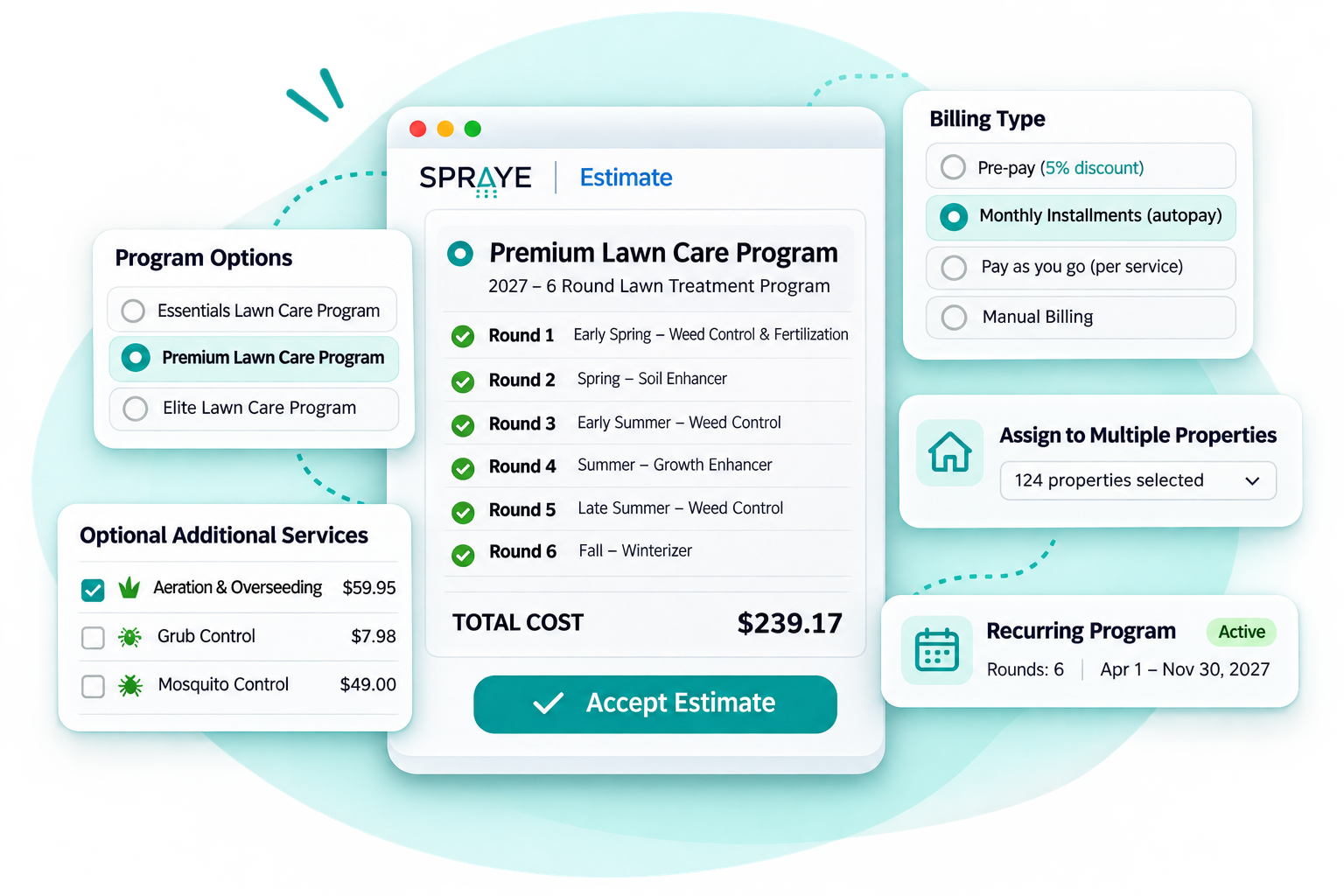
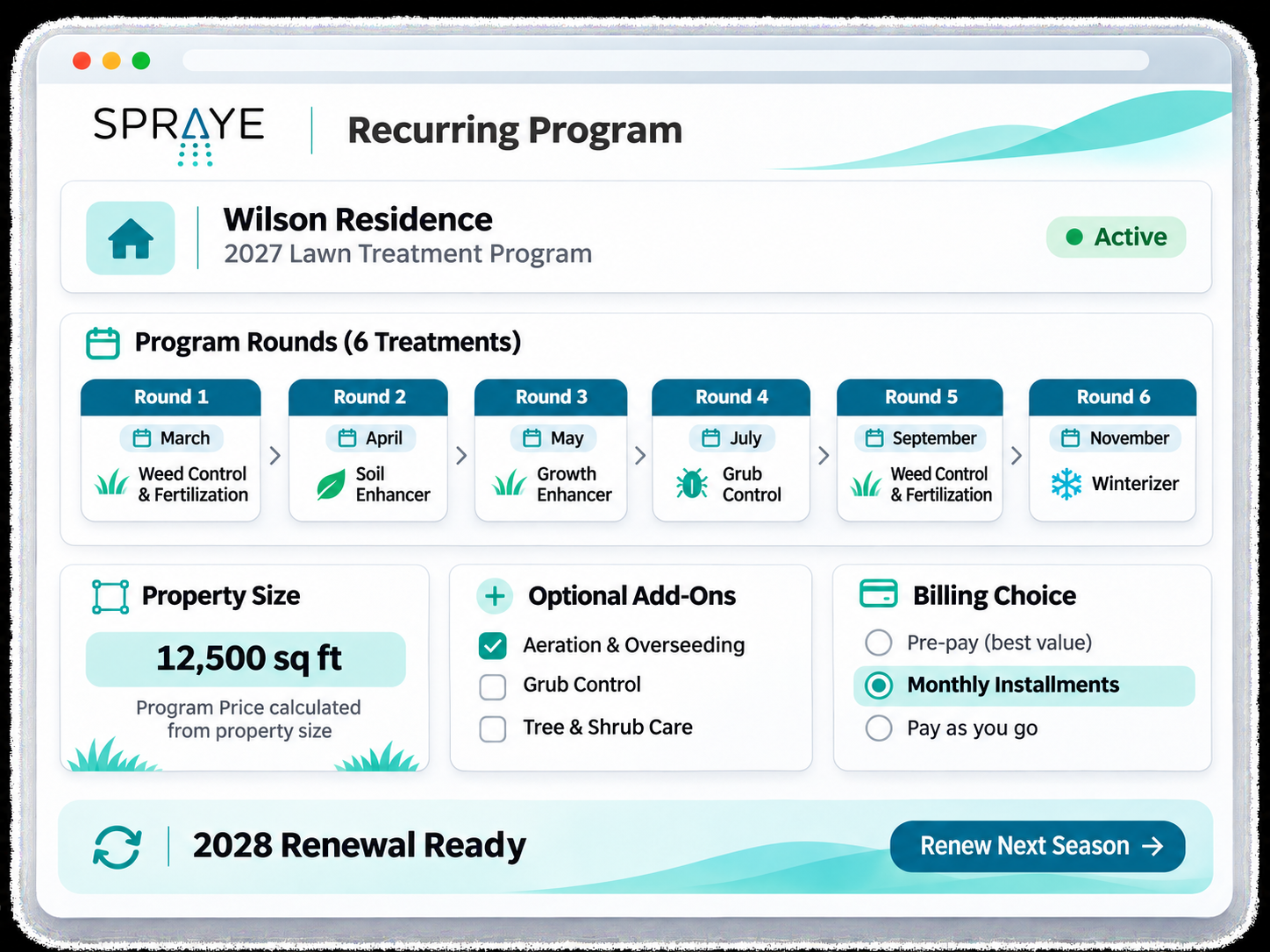
A recurring lawn treatment program is a series of treatments delivered to the same property over a season or a year. A typical fertilization and weed control program includes four to ten applications, each timed to a seasonal window.
A program usually includes:
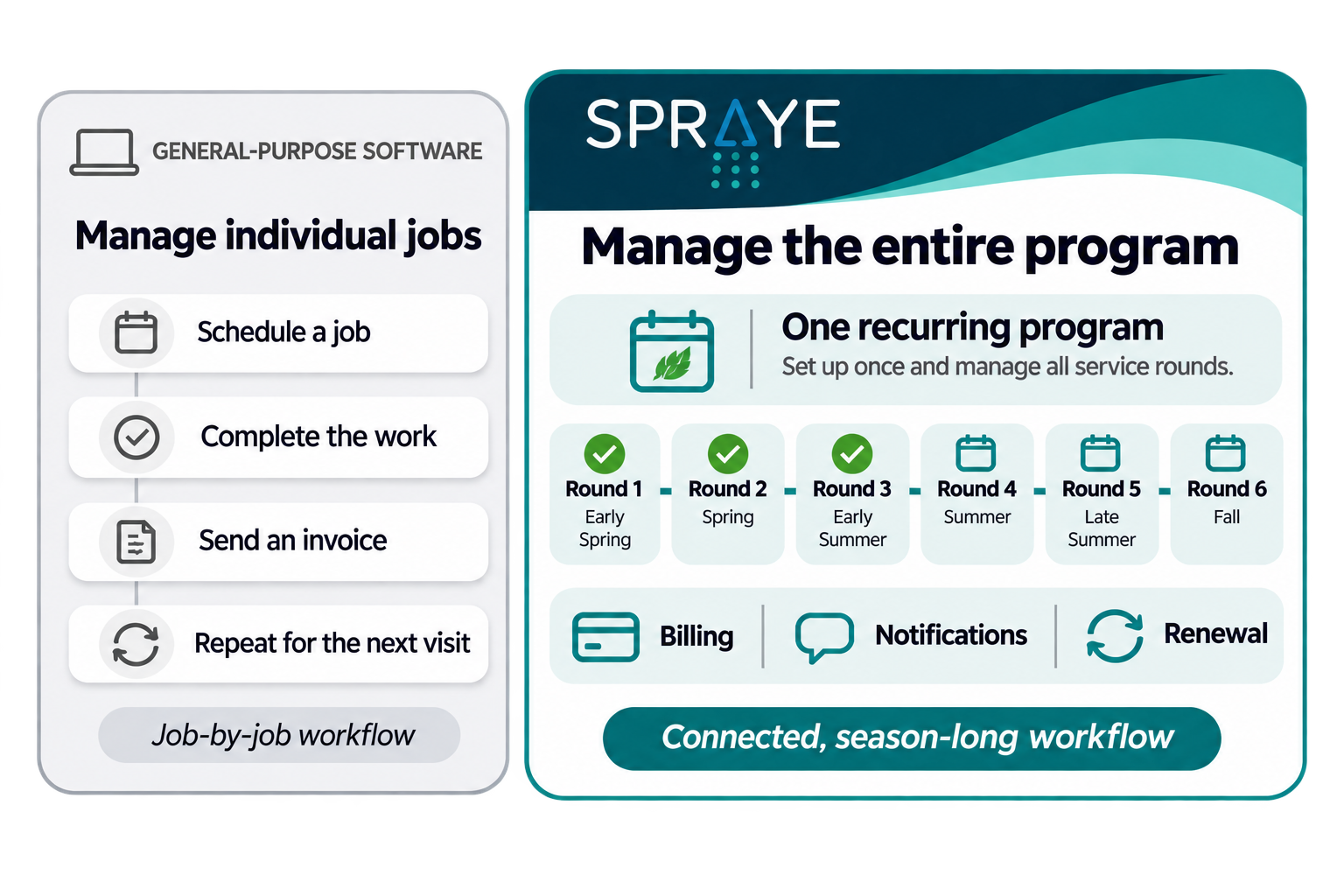
A one-off job is booked, completed and invoiced. A program is sold once and delivered many times. Every round has to be scheduled in the right order and spacing, recorded, billed the way the customer chose to pay, and then the whole program has to be renewed for the next year.
Generic job-scheduling tools treat each visit as a separate job. That leaves the office rebuilding the same program for every customer, every round, every year. Software built for recurring lawn treatment work keeps the program, the property and the customer connected, so each round picks up where the last one left off.
If your revenue comes from treating the same properties several times a year, program management is the core of your business.
SPRAYE fits lawn care companies that sell programs, such as:
Most companies start with a spreadsheet, a calendar and an accounting tool. That works until you have enough recurring customers that keeping every round, price and payment in sync becomes a job of its own.
Typically things like customer communication, billing, scheduling and routing are the first things that start to make you say things like, “There has to be a better way.”
There is.
Selling the program is only the first step. Delivering it all season and renewing it next year is where most of the work happens.
Capturing prospects, customer details and property information, including lawn size, before anything is quoted.
Defining which services make up each program, the order they’re applied in and how far apart they’re spaced.
Pricing each service by square footage so quotes and profit margins stay consistent across customers and properties.
Presenting program options, optional services and payment choices, and getting the customer’s acceptance.
Planning each application in its seasonal window, routing the visits and assigning technicians.
Giving technicians property and service details, recording each treatment and letting customers know before and after service.
Recording what was applied, at what rate and under what conditions, against the right service visit.
Invoicing to match how the customer pays, collecting payment and keeping prepaid balances straight.
Rolling customers into next season with updated pricing, prepay offers and add-on opportunities without constant back-and-forth with the customer.
The process usually breaks at the handoffs: between sales and scheduling, the office and the field, and one season and the next.
Each application is created as its own job, so the office re-enters the same information over and over.
Without a consistent pricing method, two similar properties end up paying different amounts for the same program.
Notes, gate codes and service details live in someone’s head or a paper route sheet, and changes don’t reach the field.
Treatment records end up in a notebook or spreadsheet instead of on the customer’s service history.
A rain day or a missed stop means re-planning routes and calling customers one by one.
Some customers get a heads-up before service and a summary after, and some don’t, depending on who had time.
Processes that worked for 200 properties start to break at 500, and the office absorbs the difference.
Prepaid customers, autopay customers and pay-as-you-go customers all need different handling, and it’s easy to lose track of who owes what.
Renewals get handled one customer at a time, unsold add-ons aren’t followed up and some customers are simply missed.
SPRAYE is built around programs. A sold estimate becomes an assigned program, each service in that program becomes work you can schedule, and each completed service creates an application record, updates billing for the way that program is billed and can notify the customer automatically.
Some features, including text messaging, the customer portal, automated estimate follow-ups and inventory, vary by plan. See pricing for details.
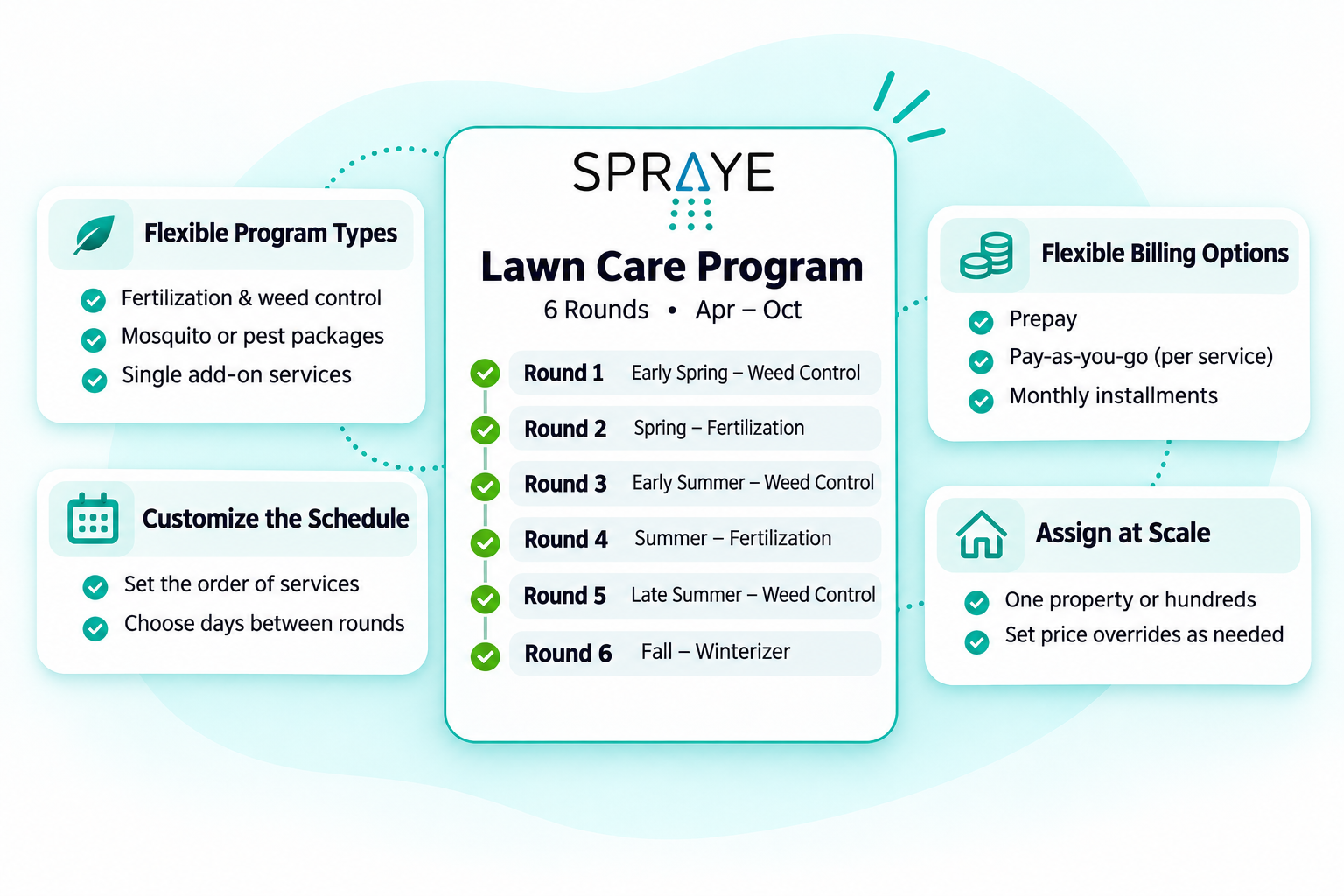
In SPRAYE, a program is anything you sell, from a six-round fertilization and weed control program to a mosquito package or a single add-on service. Add services in the order they’re applied, set the days between services and choose prepay, pay-as-you-go or monthly installment billing.
Assign a program to one property or hundreds at once, and set price overrides if a customer’s price needs to be different without building a separate program.
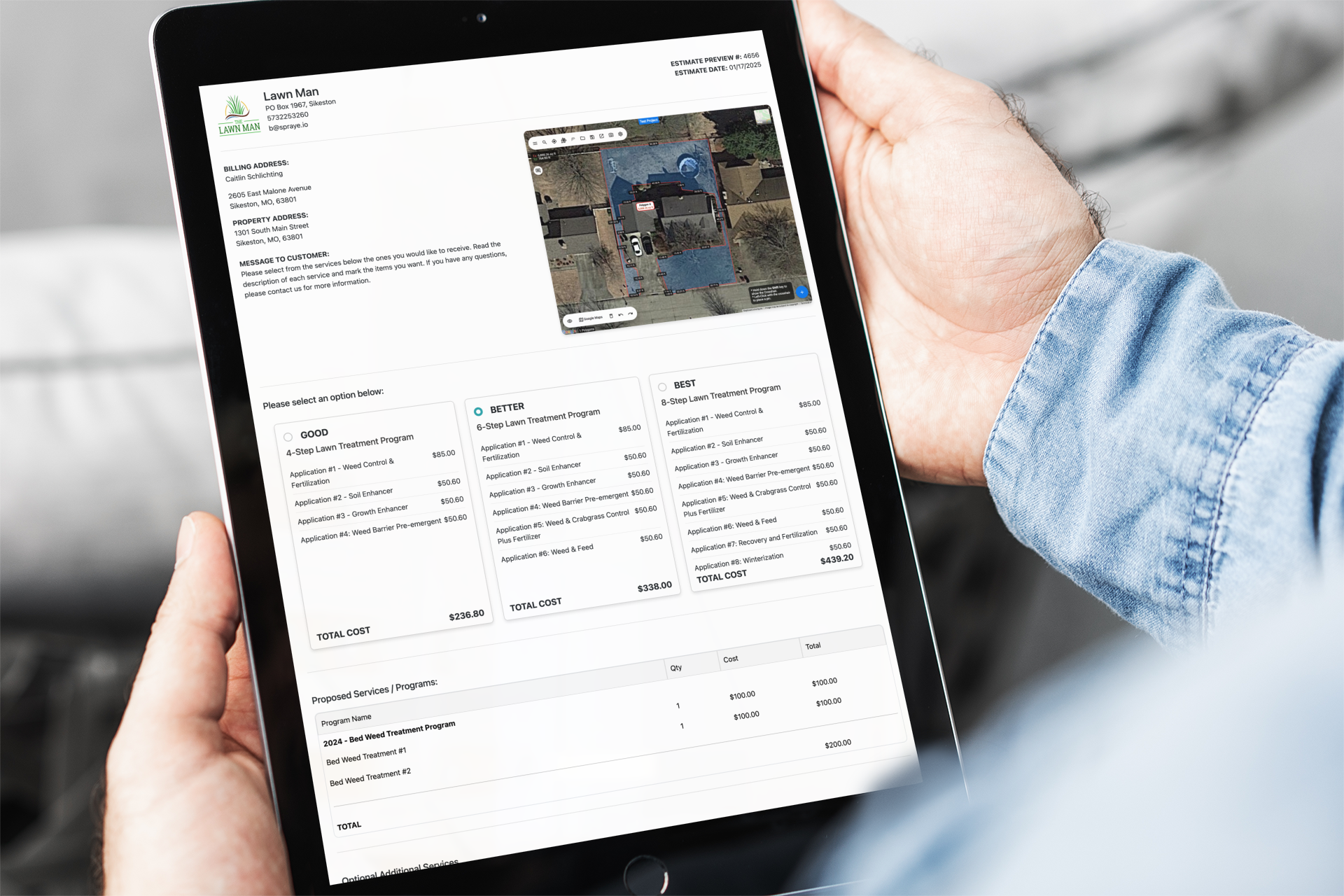
Send estimates by email, or by text on Essentials plans and above, with up to three Good/Better/Best packages, optional add-on services and a choice of prepay or pay-as-you-go. Customers accept online from any device, and you can require autopay sign-up to accept.
When a customer accepts, SPRAYE assigns their programs to the property automatically and creates the prepay invoice if they chose to prepay. Nobody re-types the sale.
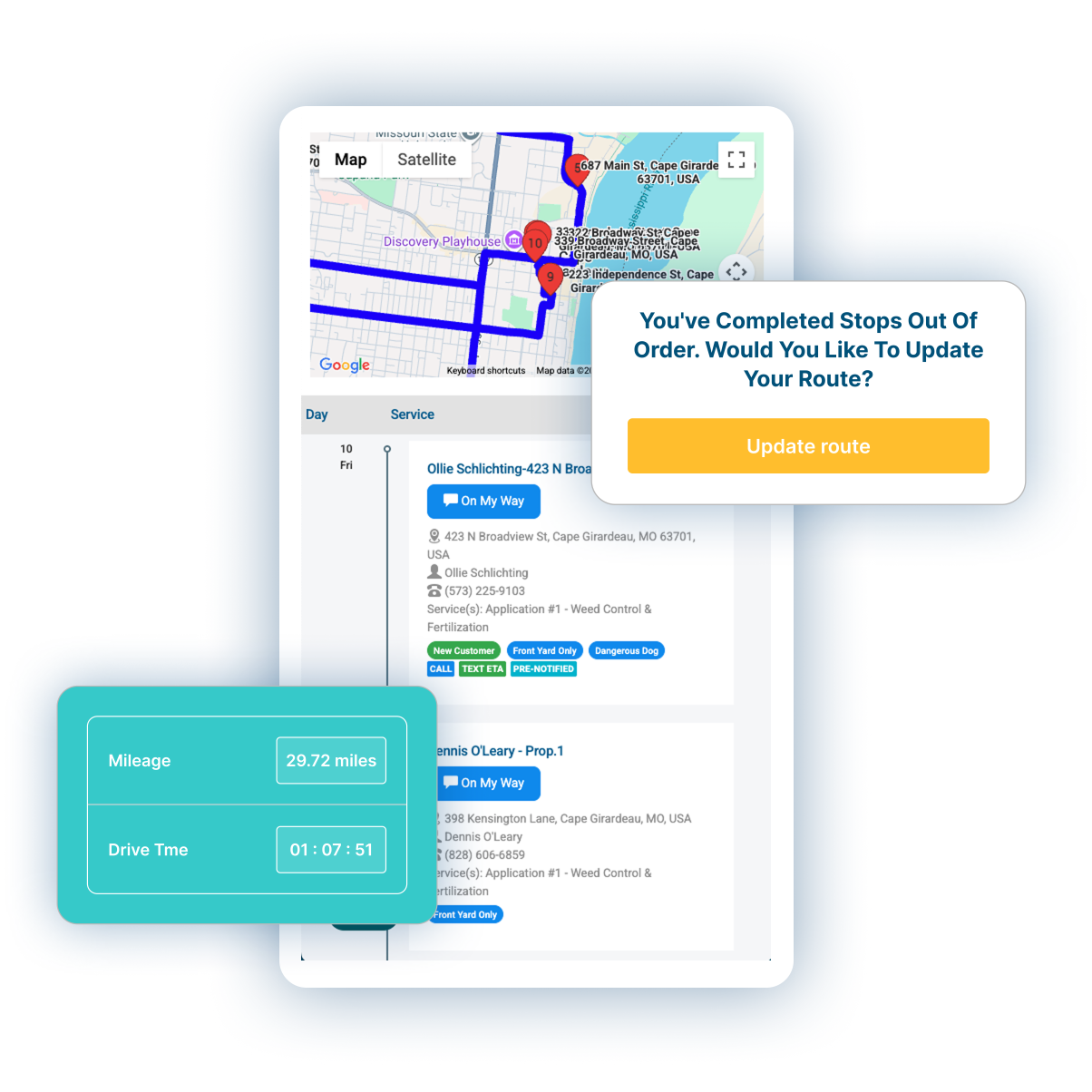
Each program’s services land on your unscheduled services list, marked due, overdue or not due based on the program’s spacing. Schedule them from a map by day, technician and route, and watch stops, square footage and revenue add up as you build. Route optimization is included with every subscription.
When weather wipes out a day, move the whole day’s work in bulk and notify affected customers in a few clicks.
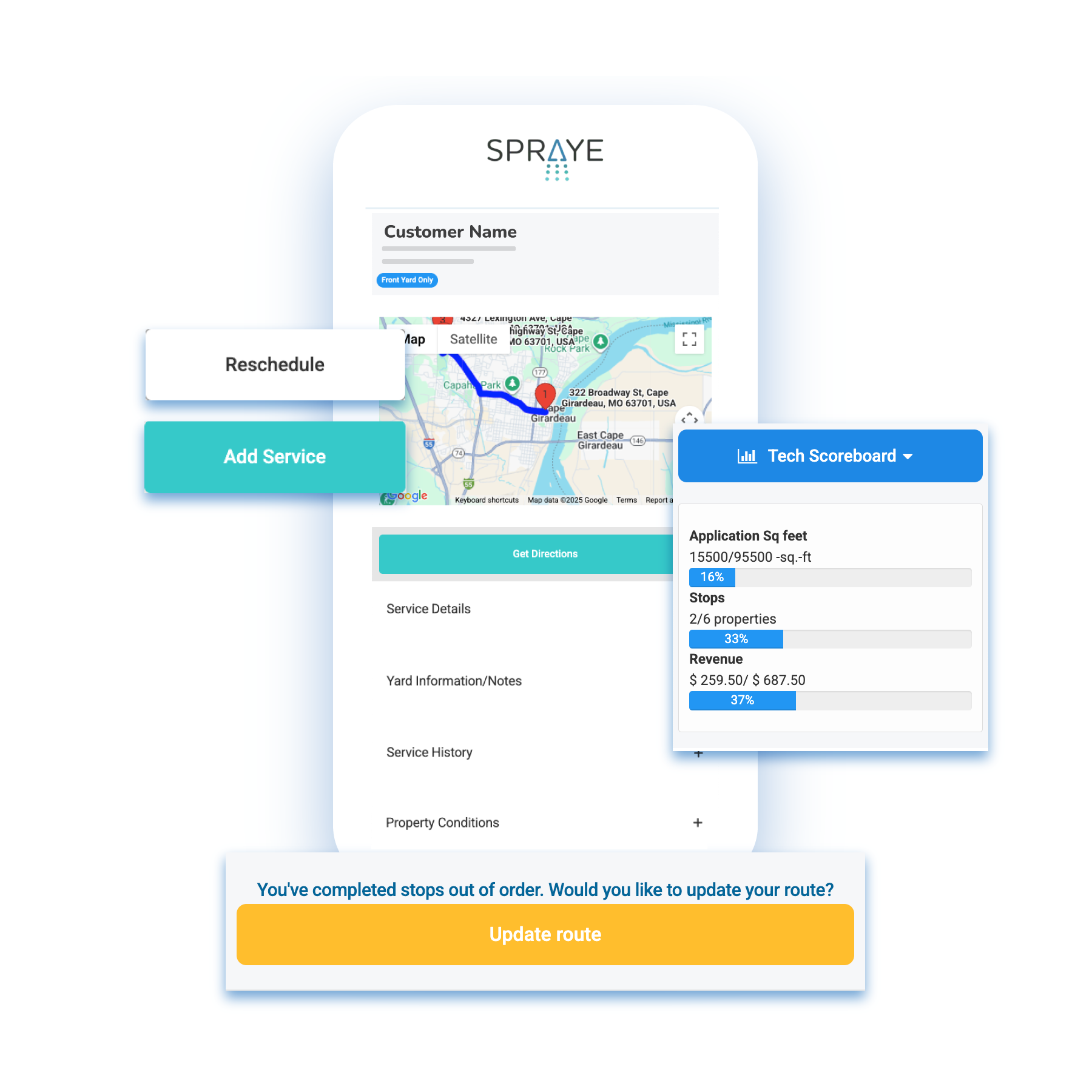
Technicians see their route on any phone or tablet, with property and service notes, product details and a truck-loading summary. When they complete a service, SPRAYE records the products, rates, amounts applied, weather and time against that visit.
Every round lands on the property’s service history, so the office can answer “what did you put down last time?” in seconds.
Price each service with a base fee plus a rate per 1,000 sq ft, with minimums and difficulty multipliers. Override pricing for an individual property when you need to.
Estimates, sales & marketingScheduled, pre-service reminder, reschedule and completion notifications go out automatically by email, or by text on Essentials plans and above. Completion emails can include the products, rates and weather from the visit.
Customer communicationsPrepay programs are invoiced when the estimate is accepted. Pay-as-you-go services are invoiced as they’re completed, and customers on autopay are charged when the work is done.
Invoices & billingCustomers pay invoices online without logging in, and on Essentials plans and above they can use the customer portal to view invoices and update their card.
Invoices & billingAutomated past-due reminders, late fees, account holds and monthly statements keep prepay and pay-as-you-go balances from slipping.
Product inventory is deducted as technicians complete services, so stock reflects the rounds you’ve delivered. Available on Premium and Elite plans.
Inventory & fleet managementA side-by-side view of each stage of a recurring program and how SPRAYE handles it.
| Stage | What needs to happen | How SPRAYE supports it | ||
|---|---|---|---|---|
| Lead / prospect | Capture the prospect and their property | Customer and property records with prospect statuses and lead sources | ||
| Estimate | Present program options and pricing | Interactive online estimates by email, or by text on Essentials and above | ||
| Package selection | Let customers choose services and add-ons | Good/Better/Best packages and optional add-on services | ||
| Program setup | Define the recurring services | Programs with ordered services, spacing and a billing type | ||
| Pricing | Price by property and service | Base fee plus rate per 1,000 sq ft, minimums and property-level overrides | ||
| Scheduling | Plan each application round | Unscheduled services marked due or overdue, scheduled by map, day and technician | ||
| Routing | Group and order the visits | Route optimization on every plan, with manual adjustments | ||
| Technician delivery | Give field staff the service details | Mobile technician dashboard with route, notes and product details | ||
| Treatment records | Record what was applied and the conditions | Products, rates, amounts and weather captured at service completion | ||
| Communication | Notify customers before and after service | Automated scheduled, reminder, reschedule and completion notifications | ||
| Billing | Invoice and collect payment | Automatic invoicing and online payments | ||
| Prepay / autopay | Handle different payment models | Prepay or pay-as-you-go set per program, with autopay for customers who save a card | ||
| Renewal | Bring customers into next season | Auto-renewals or bulk renewal estimates with price increases and prepay offers |
Recurring program management starts before the sale and continues long after it.

The easier a program is to understand, the easier it is to say yes to. SPRAYE’s interactive estimates help you sell bigger programs with less back-and-forth:
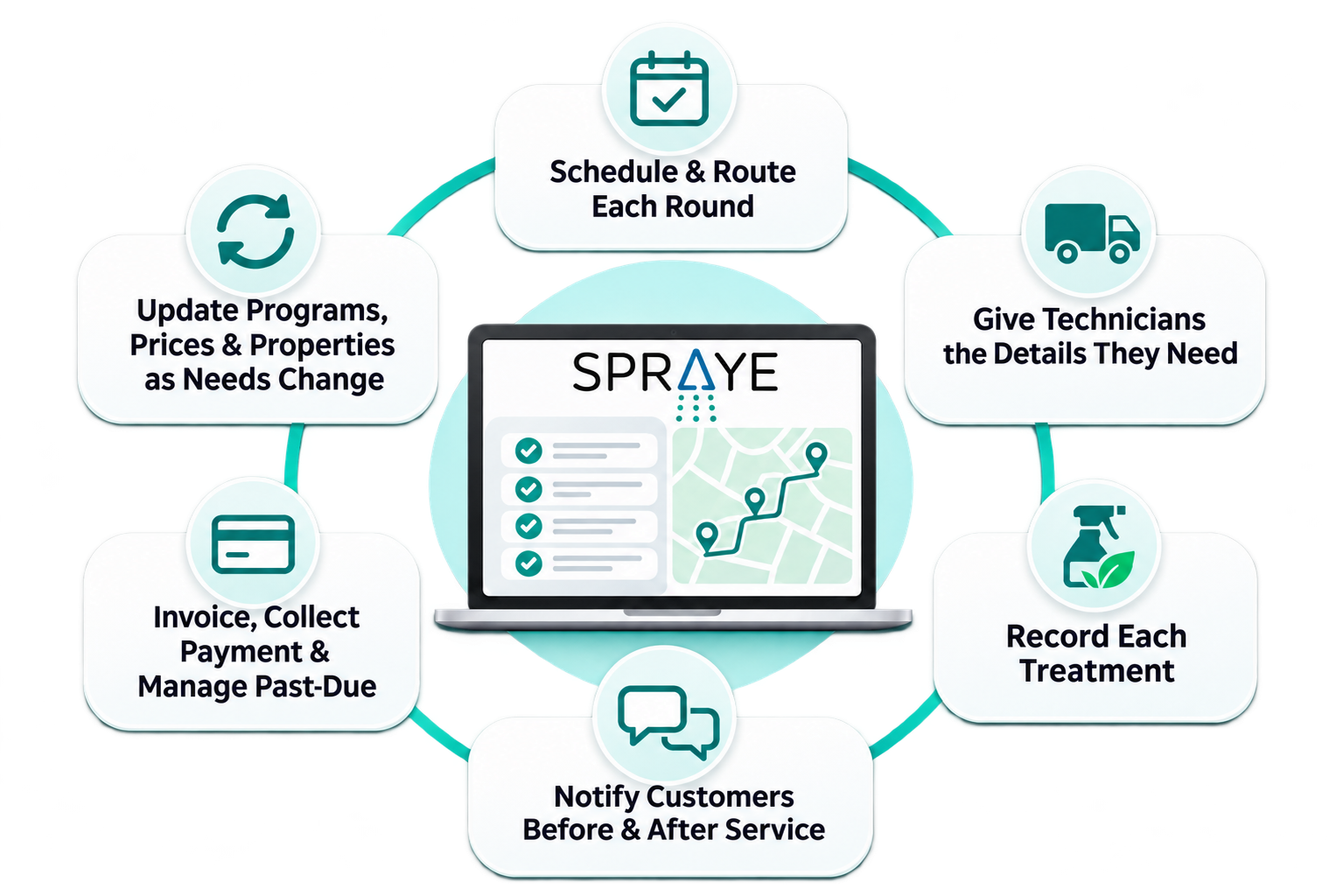
Once a customer is on a program, the work shifts to delivering every round on time and keeping the account accurate:
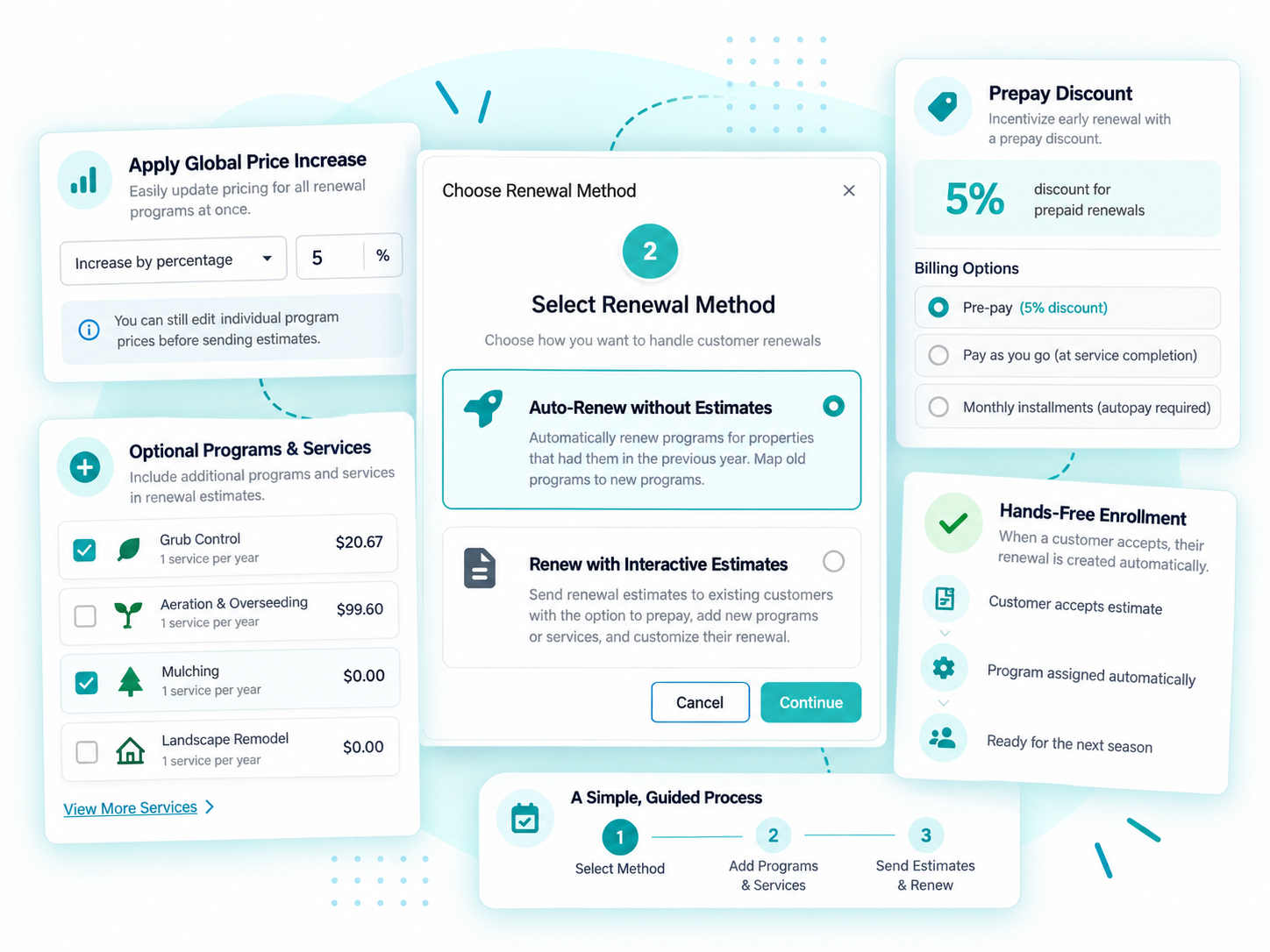
Your best customers are the ones who renew every year. SPRAYE’s Renewal Wizard moves customers from this season’s programs into next season’s in a few guided steps:
Because renewals start from each customer’s existing programs, nobody has to rebuild accounts from scratch.
When programs, schedules, billing and renewals are connected, the day-to-day work gets lighter:
Learn why SPRAYE is trusted by hundreds of lawn care operators across the country.
100%. SPRAYE’s already made me way more money than the program cost. I love that now when someone calls in I can add them in right then and there from my phone and iPad and schedule them and be done. Average phone call is 4-5 minutes to quote, get their info input and added into the system.
Originally I was hesitant just because of the cost of a system like this but now I don’t know how I did without it 3 months ago. Lol
Spraye is a powerful tool to manage your business. Callie and Brian are very helpful during the onboarding process. Initially, it’s a daunting process to get everything setup. Spraye is not your typical cookie cutter CSM. The platform has been well designed for business owners that desire an edge in running their business and managing operations. The delivered product after the initial setup is far better than any of the competitors in the lawn care CSM arena. I would highly recommend Spraye to any lawn care company that is serious about their success.
Recurring treatment work touches every part of the business. These pages show how the pieces connect.
Schedule rounds, build routes and give technicians what they need at every stop.
Read moreCapture products, rates and weather with every service, and keep records ready to review.
Read moreKeep customers moving from estimate to service, payment and renewal.
Read moreAutomated email and text notifications before and after every service.
Read moreIt’s a set of treatments delivered to the same property over a season or year, such as a five- to seven-step fertilization and weed control program. Programs are usually priced by property size, billed by prepay or pay-as-you-go, and renewed each year.
Yes. A program in SPRAYE is an ordered list of services with the days between each one. Each service lands on your unscheduled services list, marked due or overdue based on that spacing, so your office can schedule each round onto technician routes in its window.
Yes. You can build unlimited programs, and interactive estimates can present up to three Good/Better/Best packages so customers choose their level of service.
Yes. Interactive estimates can include optional add-on services and programs, such as aeration or grub control, that customers select with a checkbox before accepting.
Yes. Each service can be priced with a base fee plus a rate per 1,000 square feet, with a minimum price and a difficulty multiplier. You can also set price overrides for individual properties.
Yes. Estimates are sent by email, or by text on Essentials plans and above, and customers accept online from a phone or computer. When a customer accepts, their programs are assigned automatically. With the e-signature integration (SignWell), you can also collect signatures.
Yes to both. Customers can prepay for the season, and you can offer a prepay discount. Pay-as-you-go customers can be enrolled in autopay so their card is charged when each service is completed, and you can require autopay sign-up to accept an estimate.
Yes. The technician dashboard shows each stop’s customer and property details, notes, the scheduled service and the products to apply, on any phone or tablet.
Yes. When a technician completes a service, SPRAYE records the products, rates, amounts applied, weather conditions and time against that visit and the property’s service history.
Yes. The Renewal Wizard lets you auto-renew customers or send interactive renewal estimates in bulk. You can apply a percentage or dollar increase to every program or to specific programs. Renewal estimates can also offer prepay discounts and add-ons.
Yes. Any recurring treatment service can be set up as a program, including fertilization and weed control, mosquito, flea and tick control, perimeter pest control and tree and shrub care. SPRAYE is built for treatment programs rather than mowing-only or landscape install work.
Book a free, one-on-one demo and see how SPRAYE handles programs, estimates, scheduling, billing and renewals for a business like yours.