
1. Inquiry
A prospect calls, emails or meets a technician in the neighborhood. Their contact and property details are captured.
SPRAYE helps lawn care companies manage the customer journey from first inquiry through estimate, service, payment, communication and renewal.
Keep customer information, sales activity, recurring programs, notifications, billing and renewals connected in one system instead of managing each stage separately.
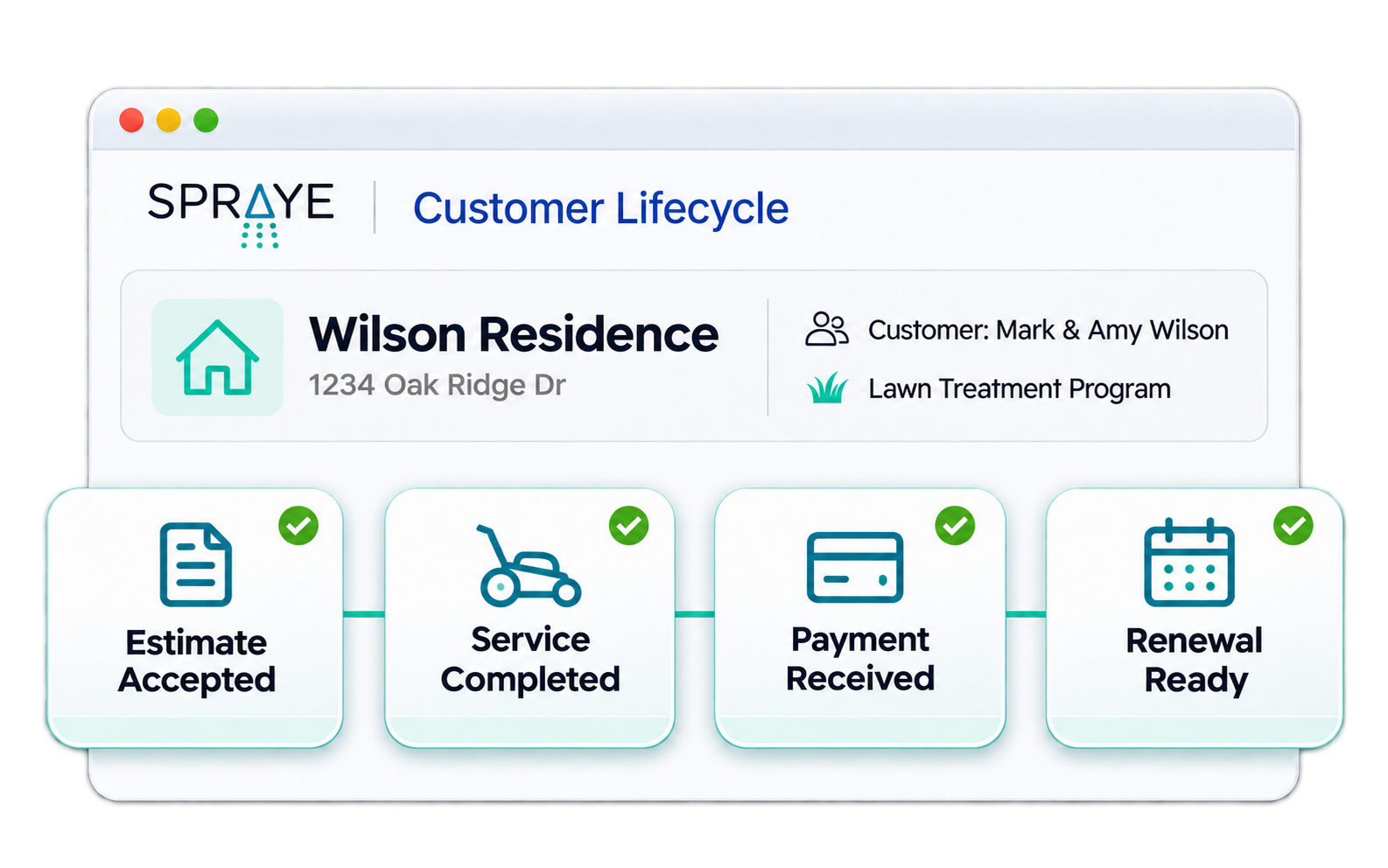
The customer lifecycle covers everything a customer experiences with your company, from the first conversation to their fifth season with you. It has four sides:
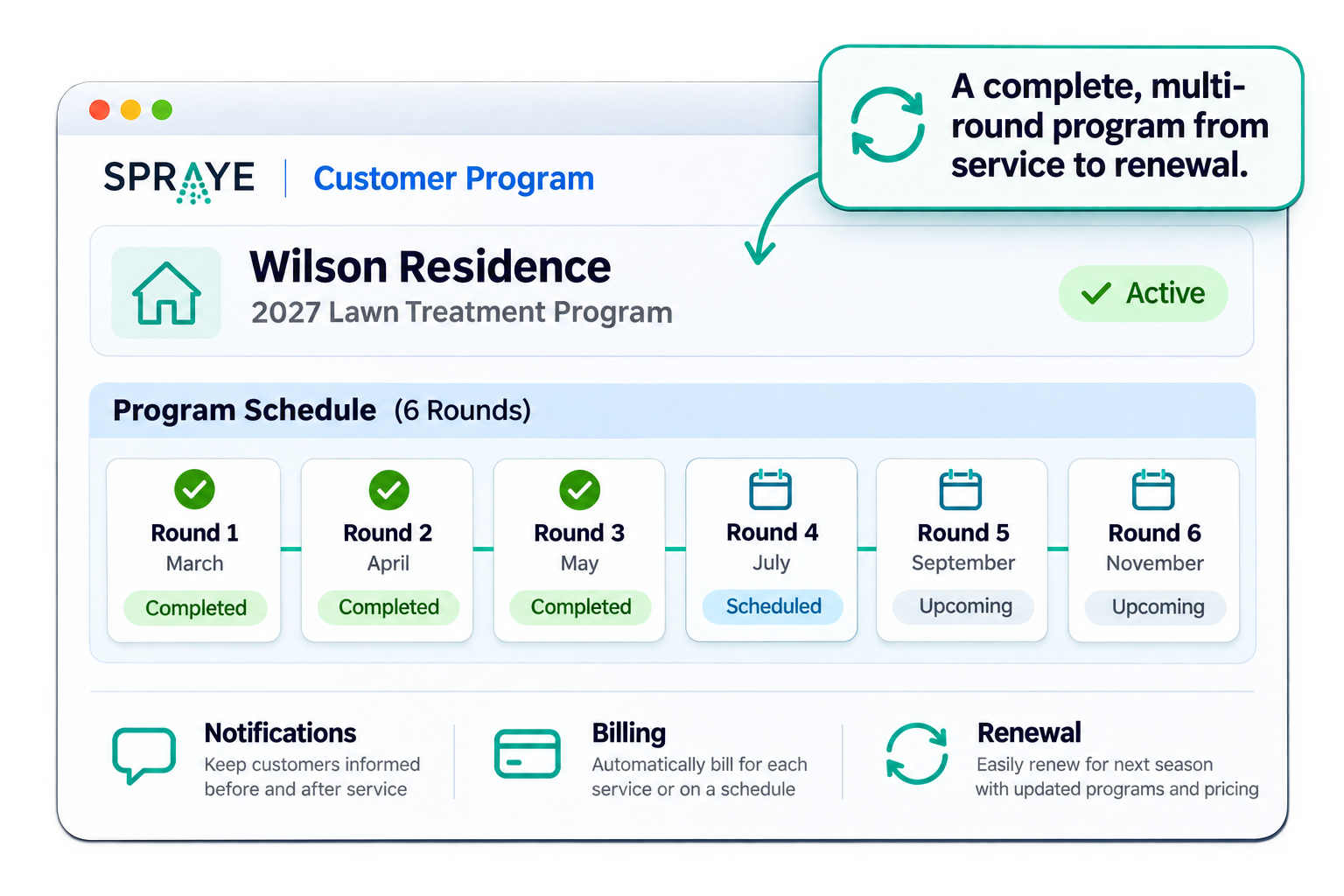
For a treatment company, the sale is the start of the relationship. A customer on a six-round program will be scheduled, serviced, notified and billed several times a year, and then asked to renew.
Each of those touchpoints shapes whether the customer renews. Automating the routine ones keeps the experience consistent and frees your office to focus on the conversations that need a person.
Any lawn care company with recurring customers benefits from a connected lifecycle. It matters most once you have more customers than your office can follow up with by hand.
If your CRM, scheduling, billing, payments, customer communication and renewal process each live in a different place, every handoff is a chance for something to be missed.
That usually shows up as leads that never got a follow-up, invoices nobody collected on and customers who didn’t get renewed because you lack the process to ensure they do.
Here’s how a typical treatment customer moves through a season.
A prospect calls, emails or meets a technician in the neighborhood. Their contact and property details are captured.
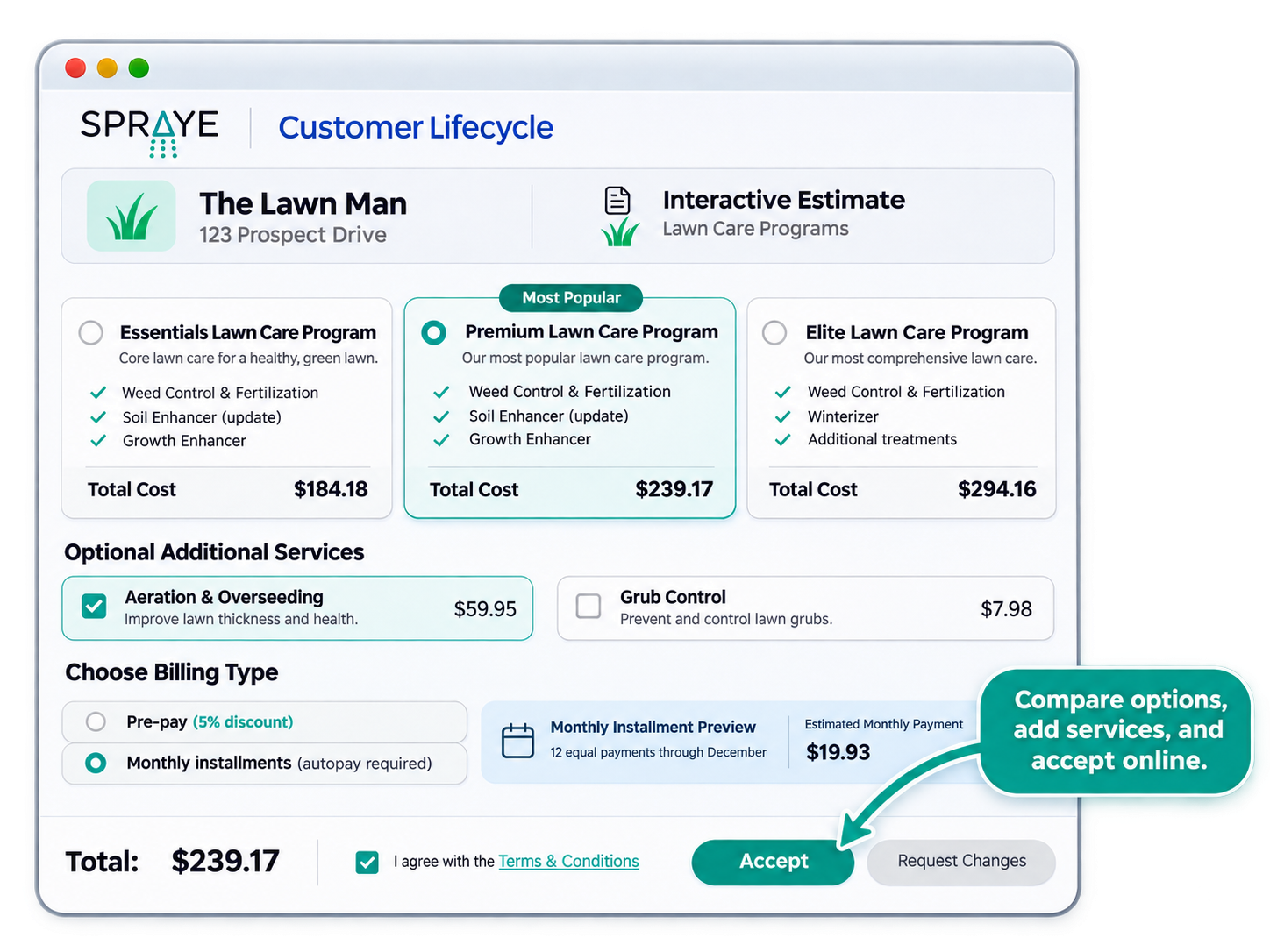
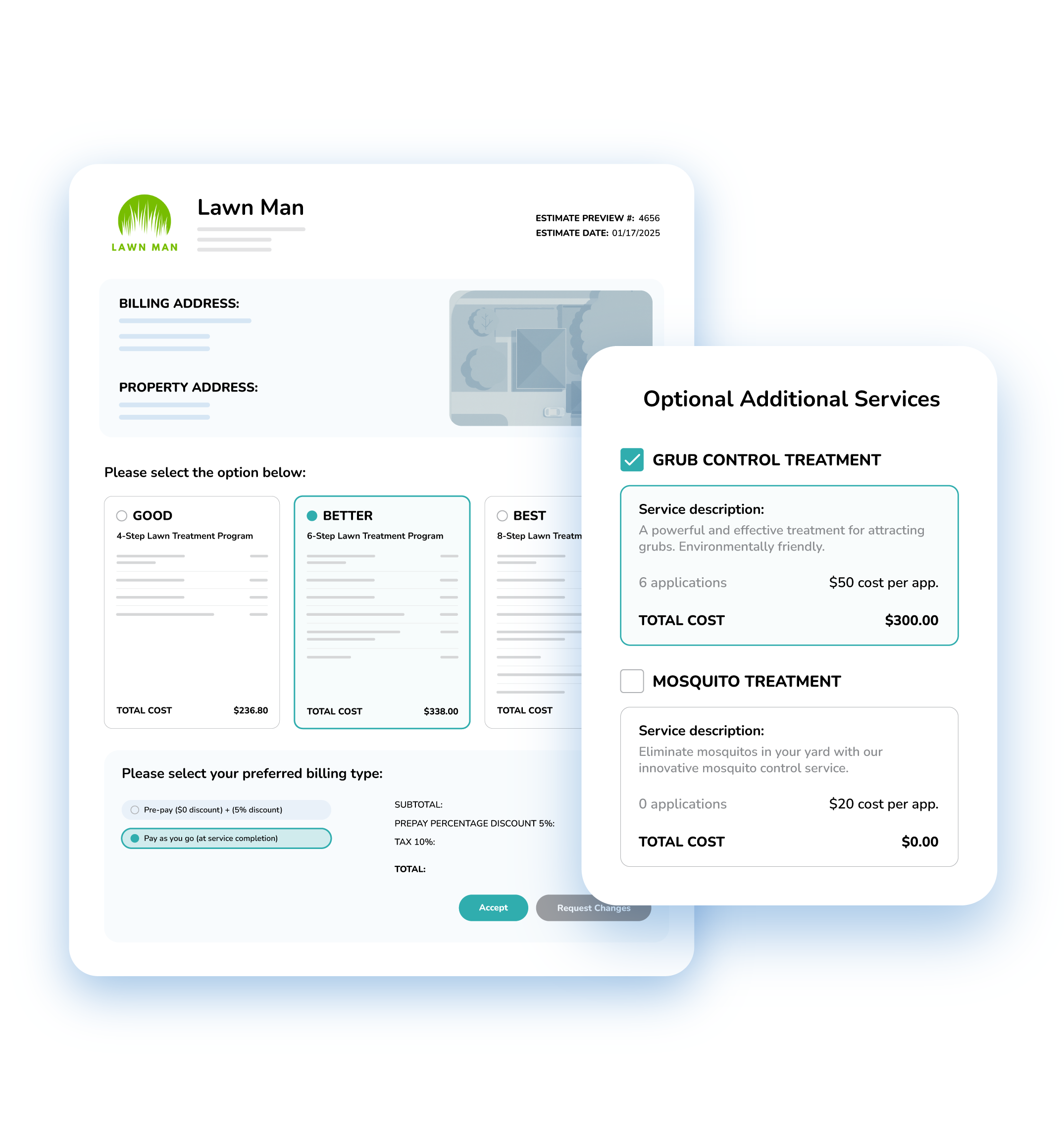
They receive an estimate with program options, add-ons and payment choices, priced by the size of their property.
They choose a package, add any extras, pick prepay or pay-as-you-go and accept.
Their program is assigned to the property, and every service in it shows up as work ready to schedule.
Each round is scheduled, and the customer is told when you’re coming.
The technician completes the treatment, and the customer gets a summary of what was done and what was applied.
Pay-as-you-go work is invoiced when it’s completed and paid online or through autopay. Prepay customers pay for the season up front.
Add-on services are offered during the season, by the office or by the technician on site.
At the end of the season, they’re renewed for next year, often with a prepay or upsell offers.
Most lifecycle problems happen at the transition between steps.
Quotes go out and nobody has time to follow up, so prospects sign with whoever calls back first.
Sales information doesn’t carry into operations, so an accepted estimate becomes data entry for the office.
Some customers hear from you before service, some don’t, and post-service summaries depend on who has time to actually send them.
Invoices need manual follow-up, past-due accounts are missed and prepay or autopay status is hard to see.
Add-on opportunities aren’t offered, and renewals are handled manually, inconsistently or too late (or all 3).
With records spread across tools, nobody can see the full history of a customer, and office workload grows with every new account.
SPRAYE keeps every stage on one customer record, so each step feeds the next without re-entry.
Some features, including text messaging, the customer portal, automated estimate follow-ups and Zapier, vary by plan. See pricing for details.
| Lifecycle stage | What needs to happen | How SPRAYE supports it | ||
|---|---|---|---|---|
| Lead | Capture the prospect and their property | Customer and property records with prospect statuses and lead sources | ||
| Estimate | Present pricing and service options | Interactive online estimates by email, or by text on Essentials and above | ||
| Selection | Let customers choose services and add-ons | Good/Better/Best packages and optional add-ons | ||
| Acceptance | Turn interest into booked work | Online acceptance that assigns programs automatically | ||
| Program setup | Define the recurring services | Programs with ordered services, spacing and a billing type | ||
| Scheduling | Plan service delivery | Map-based scheduling and route optimization | ||
| Communication | Keep customers informed | Automated scheduled, reminder, reschedule and completion notifications | ||
| Service delivery | Complete the scheduled work | Technician dashboard with route, notes and application records | ||
| Billing | Generate charges and invoices | Invoices created automatically and sent by email or text | ||
| Payment | Collect payment | Online payments, prepay, autopay and a customer portal | ||
| Follow-up | Chase unsold estimates and unpaid balances | Automated estimate follow-ups (Premium and Elite), past-due reminders, late fees and monthly statements | ||
| Renewal | Keep the customer for another season | Auto-renewals or bulk renewal estimates with price increases and prepay offers |
Automation works best on the routine steps that happen the same way every time.
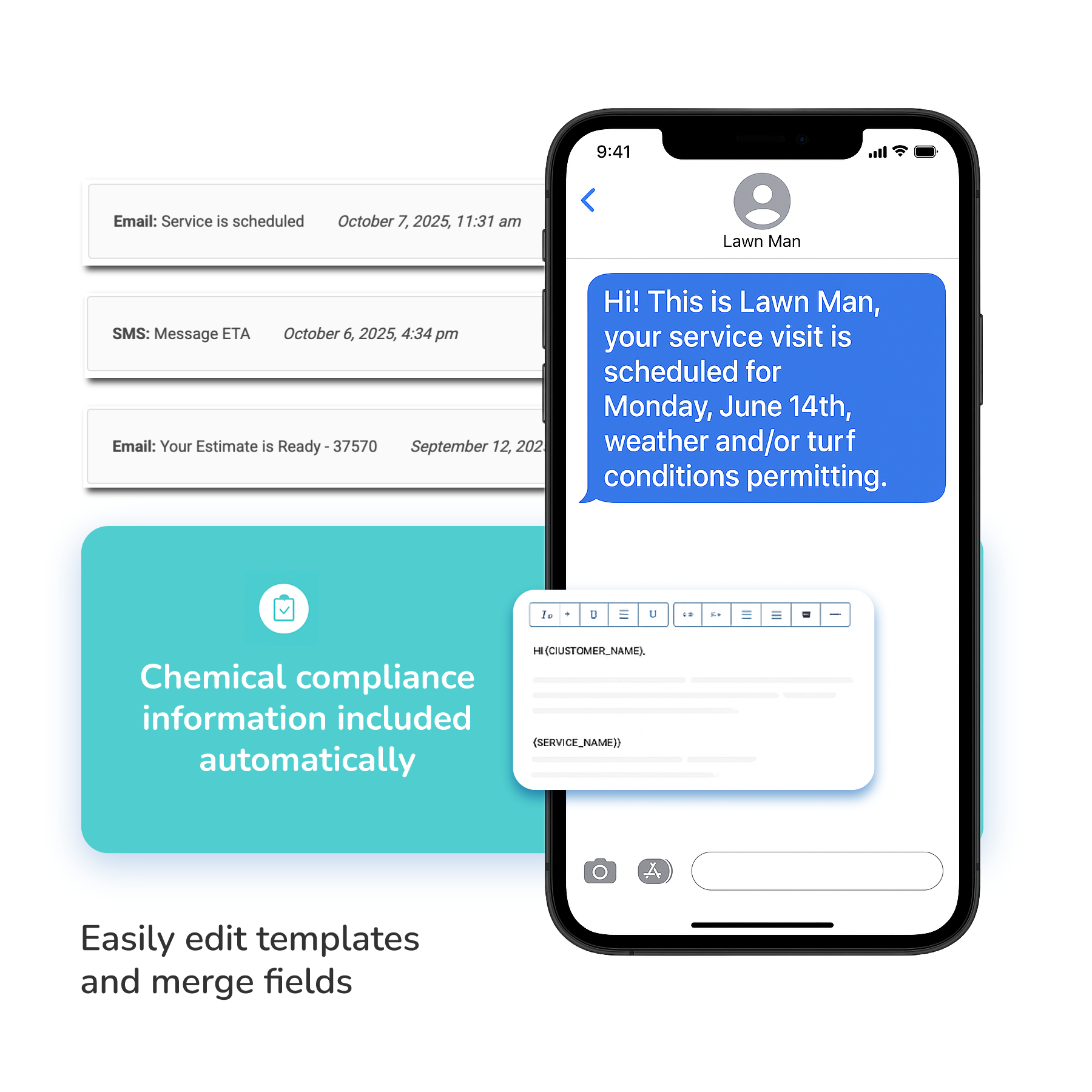
Messages are tied to what’s on the schedule and what was completed, so customers hear about the work that actually happened. Text messages are available on Essentials plans and above.
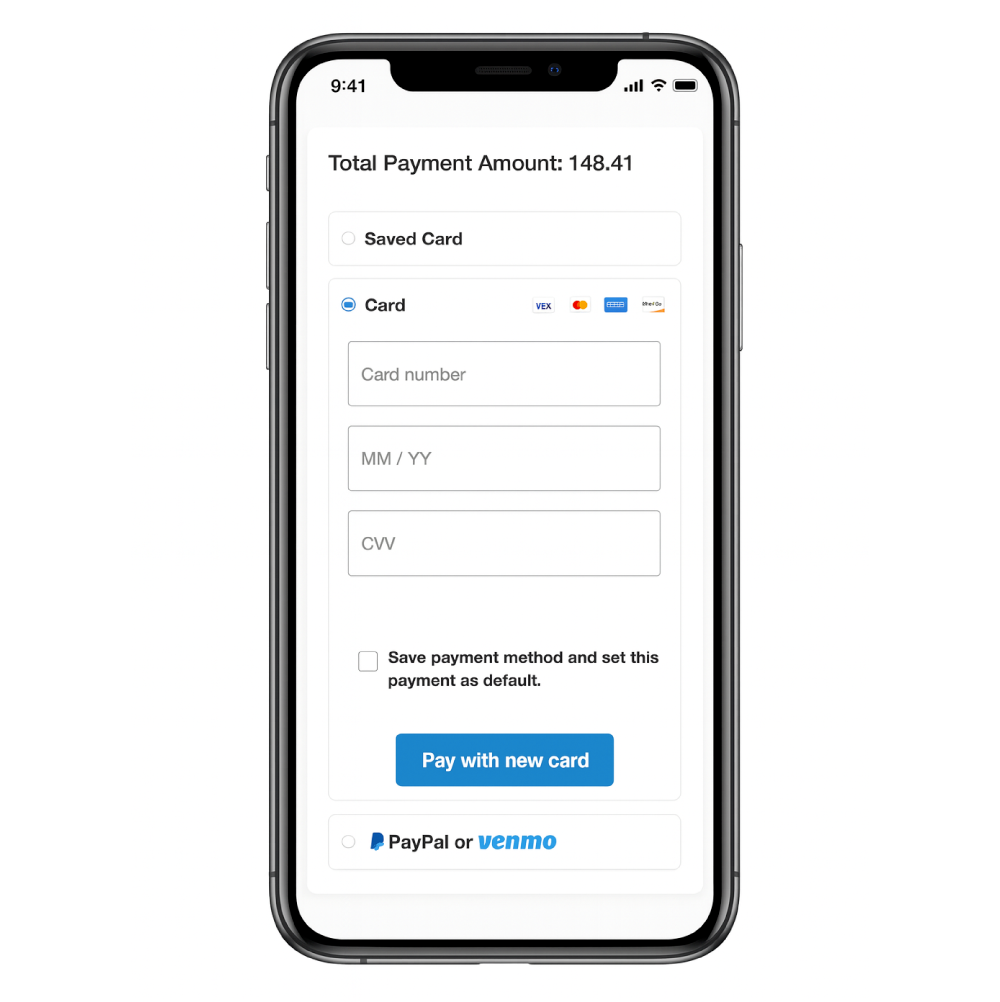
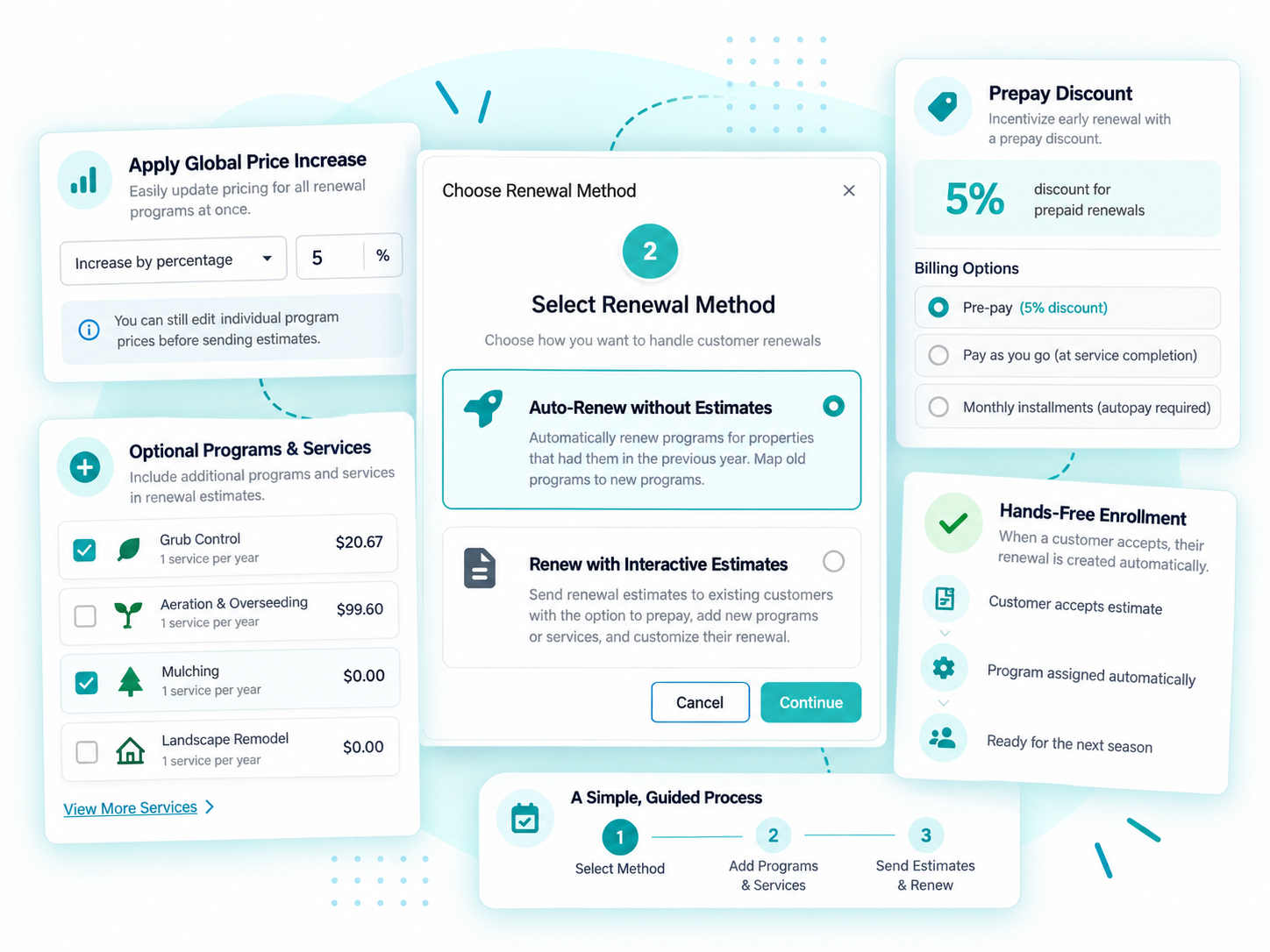
Every stage in SPRAYE reads from and writes to the same customer record.
When the record is shared, nobody re-enters a customer’s details as they move from sales to scheduling to billing. Fewer handoffs mean fewer mistakes.
It also means anyone in the office can answer a customer’s question on the first call: what they bought, when you’re coming next, what was applied last time and what they owe.
Automation should handle the routine so your team has time for the situations that need judgment.
Automation doesn’t replace your office staff. It gives them back the hours they were spending on reminders and data entry.
Lawn care companies using SPRAYE have grown their customer base while cutting the time spent on admin.
Weekly admin at C4 Spraying, down from 16–20 hours
Weekly admin at Root Development, down from more than 7 hours
Customer growth at Hippo Turf Care, from 305 to 1,060 customers
Learn why SPRAYE is trusted by hundreds of lawn care operators across the country.
We are a treatment only company. So we do lawn treatments and mosquito treatments. we transitioned from Arborgold software about three months ago. So far the experience with Spraye has been great. Software is great. It's thought out with good work flows. Support is also extremely prompt. Highly recommend if you’re a treatment company.
As always, I love your system! Thanks for always being so responsive. I will be recommending you to my colleagues.
Recurring treatment work touches every part of the business. These pages show how the pieces connect.
Build, sell, bill and renew multi-round treatment programs.
Read moreSchedule rounds, build routes and give technicians what they need at every stop.
Read moreCapture products, rates and weather with every service, and keep records ready to review.
Read moreSPRAYE automates the routine steps: assigning programs when an estimate is accepted, customer notifications before and after service, invoicing, autopay charges, past-due reminders, late fees, monthly statements and, on Premium and Elite plans, estimate follow-ups. Renewal estimates can be created for your whole customer base in one batch.
Yes. Prospects and customers live in the same system, with statuses that update as estimates are sent and accepted, lead sources, properties, tags and notes. Prospects can be added in the office or, on plans with the Zapier integration, from your other tools.
Yes. Estimates are sent by email, or by text on Essentials plans and above, and accepted online. Accepting assigns the customer’s programs automatically, and you can require autopay sign-up to accept.
Yes. SPRAYE can send a notification when service is scheduled, a reminder a set number of days before, notices when services are rescheduled and a completion notice with the products applied, weather conditions, technician notes and photos. Text notifications are available on Essentials plans and above.
Yes. Invoices are created automatically, at acceptance for prepay programs and when a service is completed for pay-as-you-go. Invoices can be sent automatically, and customers can get a receipt automatically when an invoice is paid in full.
Yes. Customers can prepay for the season, with an optional prepay discount, or enroll in autopay so their card is charged when each service is completed.
Yes. On Premium and Elite plans, SPRAYE can send automated email and text reminders on a schedule you choose until an estimate is accepted. The sales pipeline report shows which estimates are still open.
Yes. Past-due automation sends reminders, can add late fees and can place late-paying customers on hold. Monthly statements can go out automatically, and the Invoice Age Report shows who owes what.
Yes. The Renewal Wizard can auto-renew customers as they are or create interactive renewal estimates in bulk, with price increases, prepay discounts and add-ons, and send them by email or text.
Yes. Estimates, programs, scheduled services, application records, invoices, payments, notes and renewals all live on the same customer record.
No. Automation handles reminders, invoices and other routine steps so your office team has more time for customer questions, service issues and sales.
Yes. Customers stay on the same record year after year, with their service history, and renewals carry their programs into the next season.
Book a free, one-on-one demo and see how SPRAYE connects estimates, service, billing and renewals for a business like yours.